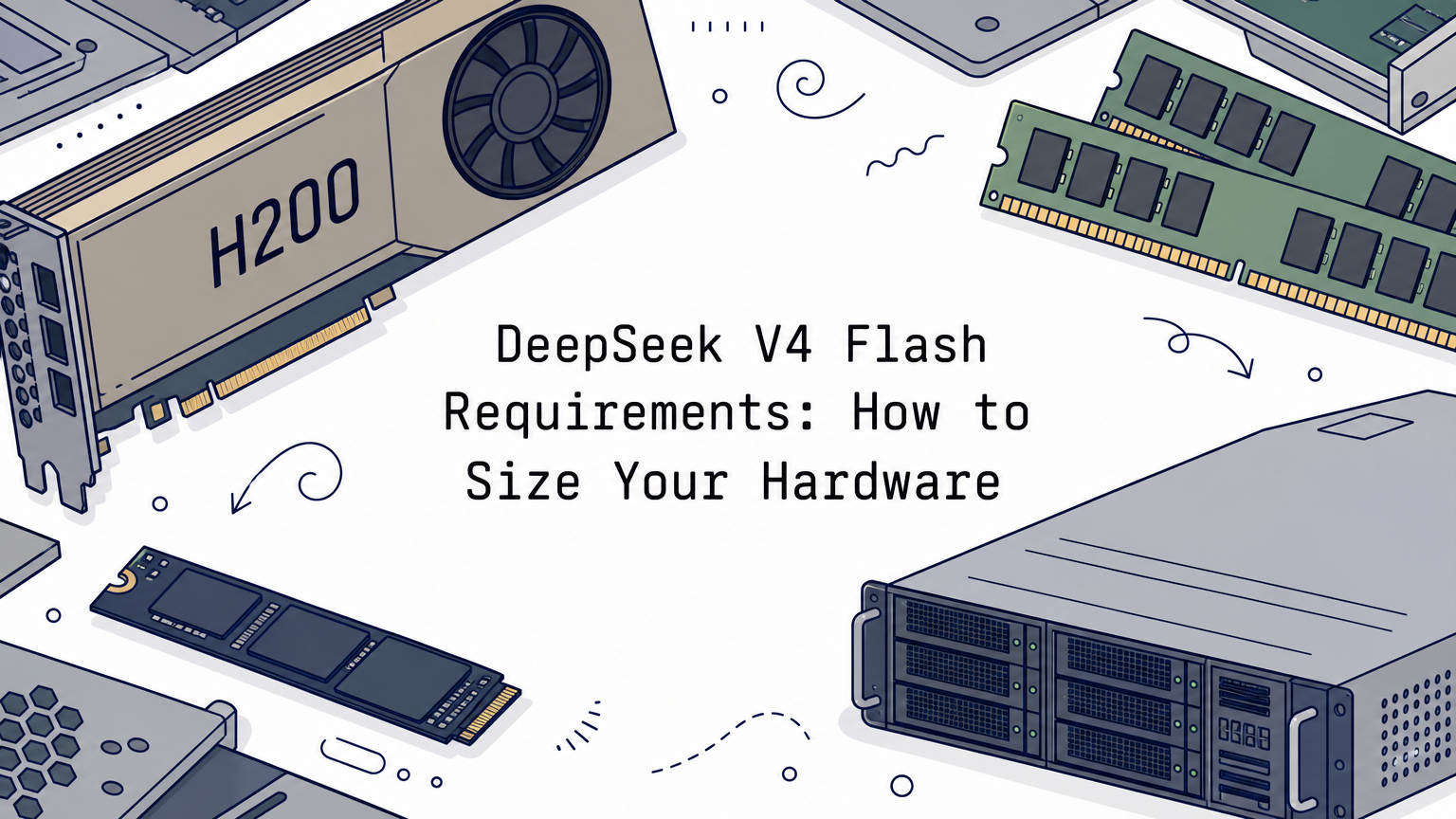
DeepSeek V4 Flash requirements come down to memory, not compute. The model has 284B total parameters and 13B active per token, and every expert has to stay loaded. A 3-bit GGUF quant of about 103 GB runs on a 128 GB machine. The lossless quant is 162 GB and wants about 169 GB of combined RAM and VRAM. The official checkpoint on GPUs needs at least two H200-class cards.
Most guides contradict each other because they count different things. One number is file size, another adds KV cache, another adds a speculative decoding draft model, and some quietly describe a newer checkpoint. DeepSeek V4.1 Flash, for example, is a separate release at roughly 510 GB, so nothing below applies to it.
This guide takes you through four steps: set a memory budget, pick a quantization, run the model with llama.cpp, and tune context and speed. Geodd serves DeepSeek models through an OpenAI-compatible API, so we also flag the point where renting beats buying hardware.
Why a 13B-active model needs 100+ GB
Total parameters decide memory
A mixture-of-experts model needs memory for all of its parameters, not just the active ones. DeepSeek V4 Flash has 284B total and 13B active per token. The 13B figure is why generation is fast. The 284B figure is why you need triple-digit gigabytes, because the router can pick any expert for the next token.
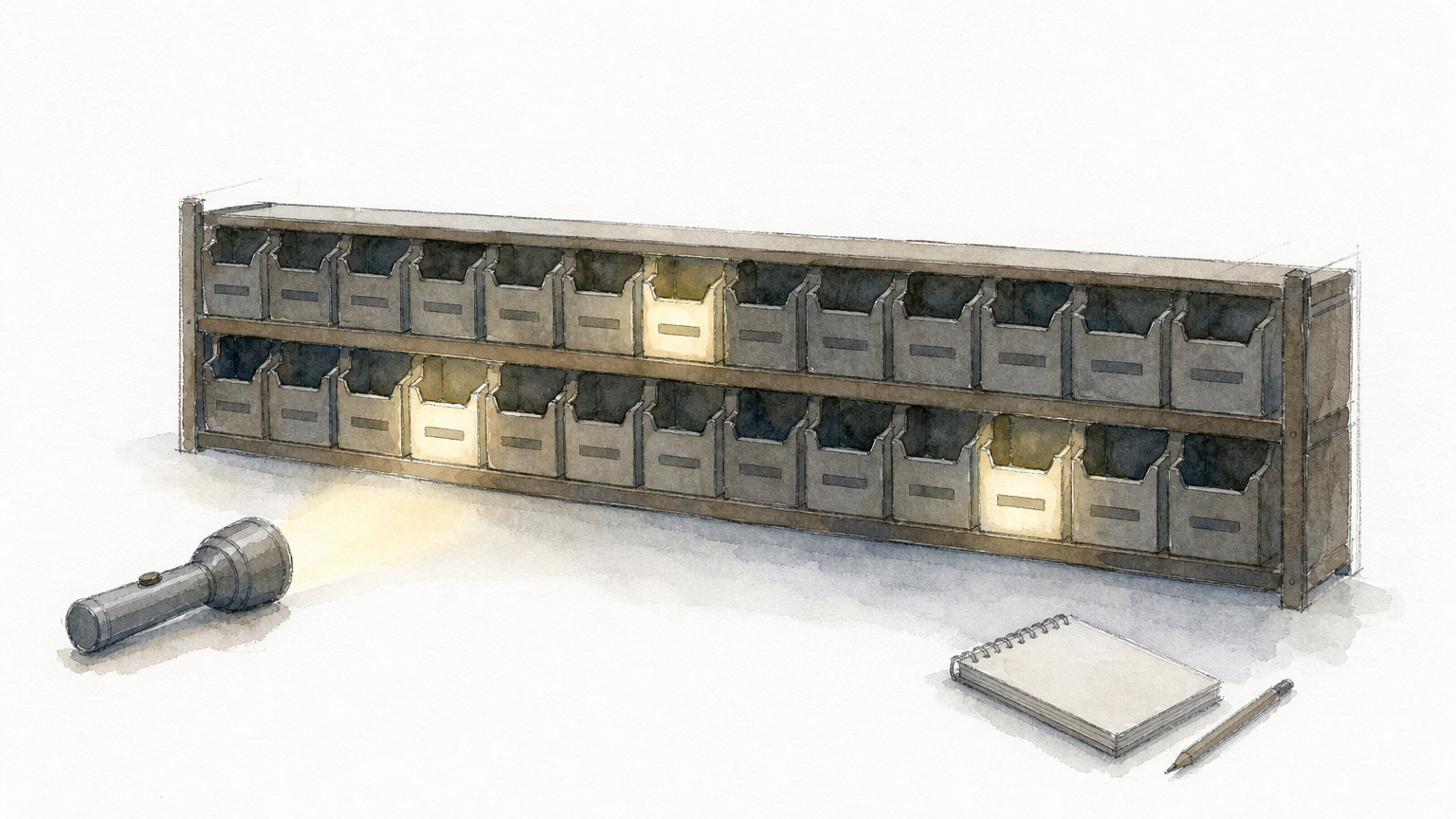
Active parameters save compute, but only total parameters set your memory bill.
The weights are also already compressed. DeepSeek trained the model with quantization awareness, so the routed experts (about 96% of the weights) ship in MXFP4 and the rest in FP8 or BF16. That works out to roughly 4.4 bits per parameter for the official files, so the easy quantization win is already spent.
Which release you are sizing
Listings disagree on the parameter count of the 0731 build. NVIDIA's catalog and the Unsloth documentation say 284B, while some third-party pages say 304B. Plan from file size on the repository you actually download, not from the parameter count.
| Release | Weights on disk | Covered in this guide |
|---|---|---|
| DeepSeek V4 Flash (including the 0731 update) | About 156 to 167 GB, depending on source and format | Yes |
| DeepSeek V4.1 Flash | About 510 GB | No |
If you need V4.1 Flash, skip the self-hosting math and use a hosted DeepSeek V4.1 Flash API instead. Its memory needs are roughly three times higher.
Step 1. Set your memory budget
Your budget is total memory (RAM plus VRAM, or unified memory) that is at least as large as the quant file, plus headroom for KV cache and the operating system. For DeepSeek V4 Flash requirements, that means 92 to 169 GB for local GGUF quants, depending on bit width.
Memory needed by quantization tier
The figures below are total memory, not VRAM alone. DSpark is the built-in speculative decoding module, and it adds about 10 GB.
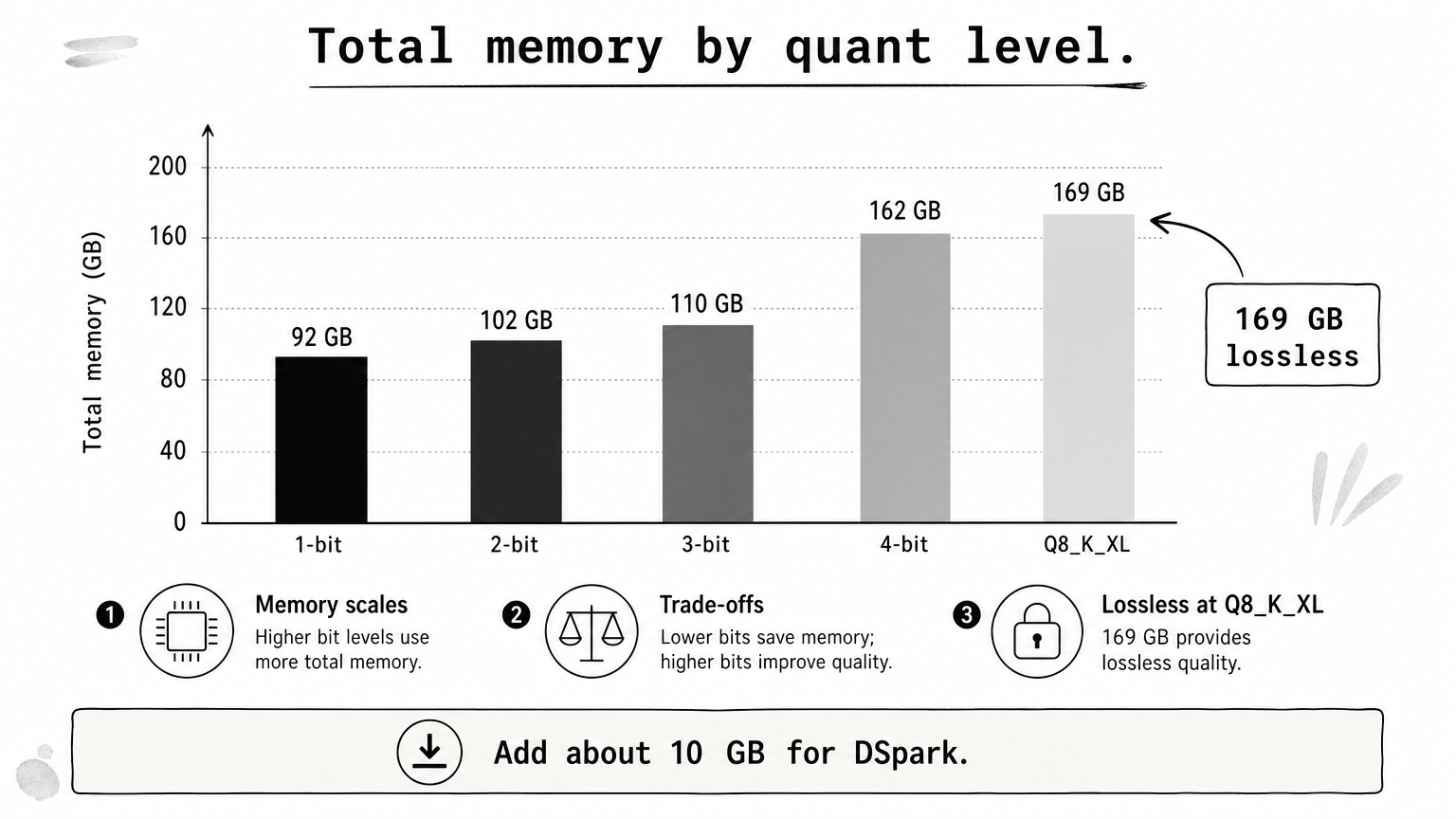
| Quant level | Standard | With DSpark |
|---|---|---|
| 1-bit | 92 GB | 102 GB |
| 2-bit | 102 GB | 112 GB |
| 3-bit | 110 to 135 GB | 120 to 145 GB |
| 4-bit (near lossless) | 162 GB | 172 GB |
| Q8_K_XL (lossless) | 169 GB | 179 GB |
Add 10 GB for DSpark and a comfortable margin on top of the file size, or the model will not load.
What VRAM, RAM and disk each do
On VRAM, no single GPU holds this model. An RTX 5090 has 32 GB and an H200 has 141 GB. A 32 GB card still works for hybrid inference, where attention runs on the GPU and the experts sit in system RAM. The KTransformers project documents exactly that route on one RTX 5090 plus an x86 CPU.
For the official FP4/FP8 checkpoint fully on GPUs, two H200s in one pod is the realistic floor for moderate context. Use eight H200s or eight B300s for full-length context. Plan about 300 GB of disk for that deployment, since the serving image, the download, and working buffers add up.
On a Mac, 128 GB of unified memory fits the 3-bit quant, but leave room for macOS. On disk, a GGUF needs its file size plus space for temporary files.
Step 2. Pick a quantization
Pick the largest quant that fits your total memory with headroom. On a 128 GB machine, that is UD-IQ3_XXS at 103 GB. With about 170 GB, step up to the near-lossless or lossless files. This step matters for DeepSeek-V4-Flash requirements because quant choice, not parameter count, sets your real footprint.
Compare size and quality
Measured against the official weights, quants that keep the native MXFP4 experts stay close to the original. Conversions that re-quantize the experts drift much further. Perplexity is on wikitext-2, and lower KLD is better.
| Quant | Size (GB) | Perplexity | Mean KLD |
|---|---|---|---|
| Official weights | 156.4 | 4.5319 | 0 |
| UD-Q8_K_XL | 161.9 | 4.5319 | about 0 (lossless) |
| UD-Q4_K_XL | 155.1 | 4.5335 | 0.0102 |
| Community MXFP4 | 156.0 | 4.5351 | 0.0105 |
| Community Q4_K-experts conversion | 164.6 | 4.5726 | 0.0290 |
| Community IQ2_XXS conversion | 86.7 | 6.1518 | 0.4207 |
A bigger file is not a better file; what matters is whether the experts keep their native format.
Rules of thumb
The Q4_K-experts conversion is larger than the official weights yet lands at a worse KLD. That is why you should keep the native experts instead of chasing bit width. Use this short list:
- 128 GB machine: UD-IQ3_XXS, about 103 GB.
- About 160 GB free: UD-Q4_K_XL, about 155 GB, near lossless.
- About 170 GB free: UD-Q8_K_XL, 162 GB, bit-identical to the official weights.
- Below 100 GB: expect a visible quality drop. An API is usually the better choice.
Step 3. Download and run with llama.cpp
Build llama.cpp, download one quant, and point the binary at the first shard. The whole sequence takes four commands plus a long download. Use a current llama.cpp build, because older ones do not support this architecture.
Build and download
Set -DGGML_CUDA=OFF on a Mac or for CPU-only runs, because Metal is on by default. Then fetch the quant with the Hugging Face CLI.
git clone https://github.com/ggml-org/llama.cpp
cmake llama.cpp -B llama.cpp/build -DBUILD_SHARED_LIBS=OFF -DGGML_CUDA=ON
cmake --build llama.cpp/build --config Release -j --target llama-cli llama-server
pip install huggingface_hub
hf download unsloth/DeepSeek-V4-Flash-0731-GGUF \
    --local-dir unsloth/DeepSeek-V4-Flash-0731-GGUF \
    --include "*UD-IQ3_XXS*"
Download the files manually, because pulling shards through the built-in downloader can be very slow.
Launch the model
Start the run with a modest context and a small number of GPU layers. Raise the layer count until VRAM is nearly full.
./llama.cpp/build/bin/llama-cli \
    --model unsloth/DeepSeek-V4-Flash-0731-GGUF/UD-IQ3_XXS/DeepSeek-V4-Flash-0731-UD-IQ3_XXS-00001-of-00004.gguf \
    --threads 32 --ctx-size 32768 --n-gpu-layers 2 \
    --temp 1.0 --top-p 1.0 --min-p 0.01
Lower --n-gpu-layers if the GPU runs out of memory, and remove it for CPU-only inference. Set --threads to your physical core count.
Step 4. Tune context, reasoning and speed
The three settings that change your memory use are context length, reasoning mode, and speculative decoding. Start small, confirm the run is stable, then raise them one at a time. Keeping an eye on KV cache growth prevents most out-of-memory failures on a self-hosted DeepSeek V4 Flash.
Context length
The maximum context is 1,048,576 tokens, but start at 32K or 128K. For Think Max mode, set context to at least 384K tokens. Memory use climbs with context, so raise it in steps while watching headroom.

Treat 1M context as a ceiling, not a starting setting.
Reasoning mode and sampling
Think High is on by default. DeepSeek recommends temperature = 1.0 and top-p = 1.0. For the 0731 build in agentic use, top-p = 0.95 is suggested instead. Lowering temperature can hurt reasoning quality. Switch modes with these flags:
--chat-template-kwargs '{"reasoning_effort":"max"}'
--chat-template-kwargs '{"reasoning_effort":"high"}'
--chat-template-kwargs '{"enable_thinking":false}'
Speed with DSpark
DSpark speculative decoding gives up to about 2x faster decoding. Reported numbers are 120 tokens/s against a 60 tokens/s baseline on a B200 GPU. In llama.cpp, --spec-draft-n-max 3 is a good default at about 1.9x. Download the Q8_0 drafter alongside your main quant and budget the extra 10 GB. On a 128 GB machine, that means sticking with UD-IQ3_XXS.
Ready to size your setup?
Work from the memory table. Around 110 GB total gets you a usable 3-bit quant, about 170 GB gets you lossless, and a server needs at least two H200s. Pick a quant that keeps the native experts, then raise context and speed settings one step at a time.
If those numbers are more hardware than you want to buy, rent the model instead of owning it. You can try DeepSeek V4 Flash through Geodd's OpenAI-compatible API and compare pricing, long-context capacity, and tool calling before you commit to any GPUs.