GLM coding means using Z.ai's GLM family of large language models to write, debug, and refactor software. Most people do it through the GLM Coding Plan, a flat-fee subscription that connects GLM models to coding agents such as Claude Code, Cline, and OpenCode. GLM stands for General Language Model, so it is an LLM family and has nothing to do with the statistical generalized linear model. Z.ai is the international name of Zhipu AI, the Beijing lab that builds the models.
This guide covers what the models are, why developers pay attention to them, and how to set them up in your editor. It also explains what the Coding Plan costs, how its quota works, and whether it is worth buying. The benchmark figures come from Z.ai's own releases or third-party reporting, so treat them as a starting point and test on your own code.
Geodd runs inference for open and open-weight models, including GLM 5.3 Flash, through an OpenAI-compatible API. That gives us a direct view of the main alternative to a subscription, so the last section compares the two routes with real numbers.
Why GLM coding matters for your workflow
GLM coding matters because it puts a model that Z.ai calls the most capable open-weights coding model behind a flat monthly fee, inside agents you already use. If you spend hours a day in a terminal agent, that changes both your bill and your lock-in to a single closed vendor.
What counts as a GLM coding model
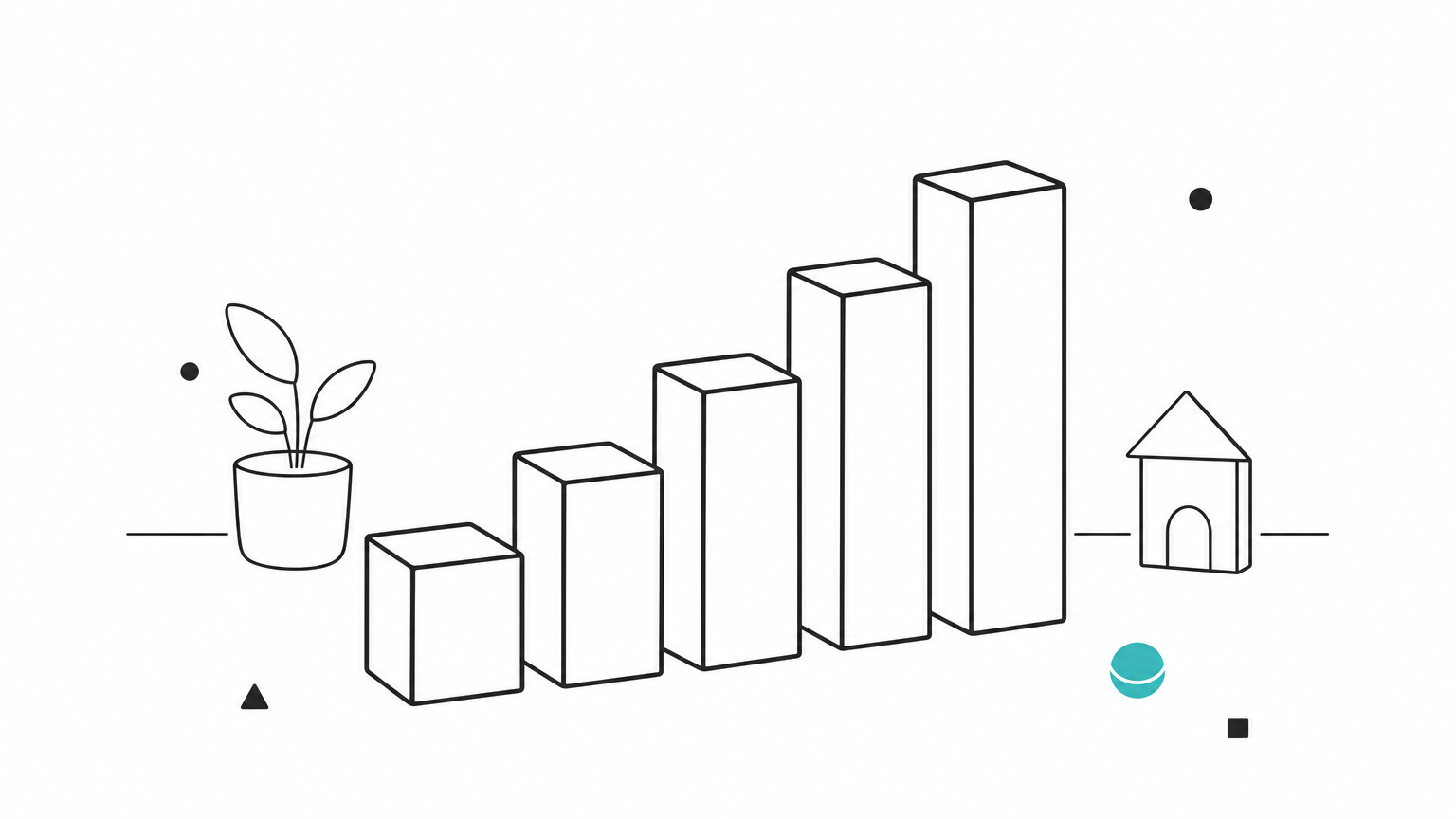
A GLM coding model is any recent model in the GLM line that you use for programming work, and the newer releases are all built for long agent runs. GLM is one LLM family among many, so asking "GLM vs LLM" is like asking "Llama vs LLM". Here is how the line has progressed.
| Model | Key facts |
|---|---|
| GLM-4.5 | 355B total parameters, 32B active. Z.ai's first unified step for reasoning, coding, and agents. |
| GLM-5 | 744B total, 40B active. Trained on 28.5T tokens, MIT license, 77.8% on SWE-bench Verified. |
| GLM-5.1 | Released April 7, 2026. 200K context window, 58.4 on SWE-Bench Pro. |
| GLM-5.2 | Released June 13, 2026. 1M-token context, 62.1 on SWE-Bench Pro. |
| GLM-5.3 | Same base model as GLM-5.2, with gains from post-training only. Z.ai reports a 50% improvement on its in-house Z.ai Code Bench. |
The point of the table is the pace. Each release in 2026 has moved the same base ideas (a mixture-of-experts design and heavy reinforcement learning on long tasks) a step further.
What GLM-5.3 does well
GLM-5.3 is strongest on long, multi-step engineering work where the model has to run commands, read output, and keep going. On Terminal Bench 3.0 it rose from 4.6 to 28.3 against GLM-5.2, and on DeepSWE v1.1 from 46.2 to 66.9. These are Z.ai's own numbers.
Efficiency improved too. At Max effort, Z.ai reports 34.5% on Z.ai Code Bench at roughly 75K output tokens per task, against 23.4% at 96K for GLM-5.2. At High effort it reports 31.4% at about 50K tokens, ahead of Claude Opus 4.8 at 29.5% with 120K. Fewer output tokens means lower cost and faster runs.
GLM-5.3 is also not only a coding model. Z.ai reports strong results on vulnerability discovery (84.5 on CyberGym) and on general agent and tool-use benchmarks, so it handles planning and document work as well.
GLM coding is a family of open-weights models tuned for long agent runs, not a single product.
How to use GLM coding models in your editor
You use GLM coding models by getting an API key from a Coding Plan or a pay-per-token account, pointing a coding agent at the right endpoint, and setting the model name and reasoning effort. Most setup failures come from one wrong URL or key variable.
Tools that work with the plan
The Coding Plan is designed for AI coding tools rather than a chat window. Z.ai's documentation names these agents:
- Claude Code
- OpenCode
- Cline
- Kilo Code
- Roo Code
- Droid
- ZCode, Z.ai's own agentic development environment
OpenClaw, a framework that turns the model into a personal assistant across apps and devices, is also included. You can reach GLM from Cursor too, but only through a custom OpenAI-protocol model, which requires a paid Cursor plan.
A working Claude Code setup
Claude Code is the setup Z.ai promotes most, because GLM can stand in for the default model. Edit ~/.claude/settings.json so the Anthropic variables point at Z.ai:

{
  "env": {
    "ANTHROPIC_AUTH_TOKEN": "your_zai_api_key",
    "ANTHROPIC_BASE_URL": "https://api.z.ai/api/anthropic",
    "API_TIMEOUT_MS": "3000000",
    "ANTHROPIC_DEFAULT_SONNET_MODEL": "glm-5.3",
    "ANTHROPIC_DEFAULT_OPUS_MODEL": "glm-5.3"
  }
}
Three mistakes trip people up. Using the wrong endpoint family is the most common, because Coding Plan keys only work on the coding endpoints. The second is putting the key in ANTHROPIC_API_KEY instead of ANTHROPIC_AUTH_TOKEN. The third is forgetting to restart the terminal after saving. The interface may still say "Claude" while GLM runs underneath.
Thinking settings for GLM-5.3
GLM-5.3 always thinks. It supports three effort levels, and Z.ai recommends max for coding.
| Parameter | Values | Default |
|---|---|---|
thinking.type | enabled only | enabled |
reasoning_effort | low, high, max | max |
If your app currently sends thinking.type: "disabled", change it to enabled and set reasoning_effort to low before you switch the model ID. Otherwise, requests fail.
Point the agent at the coding endpoint, use the right key variable, and leave effort on max.
What the GLM Coding Plan costs and how quota works
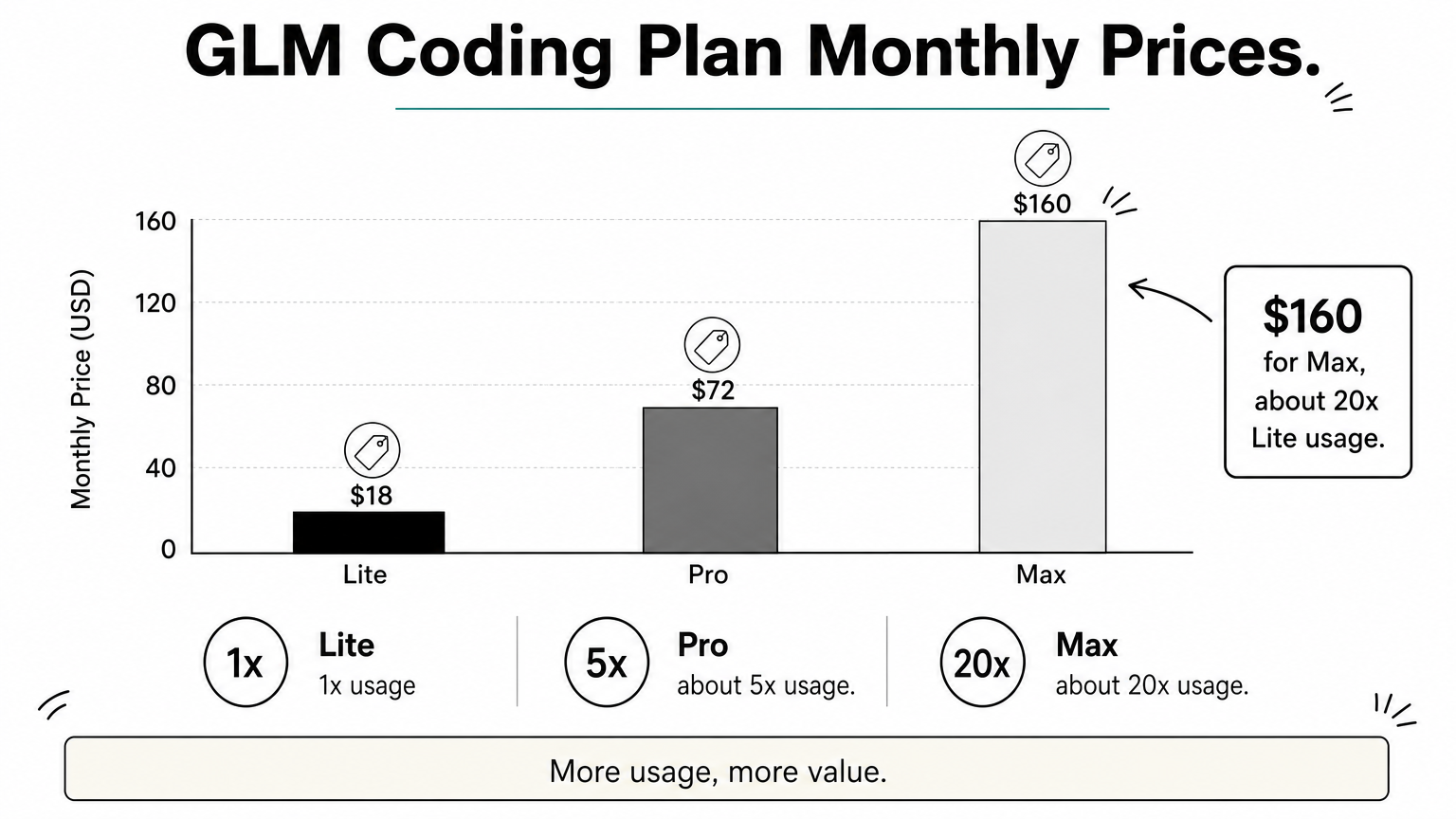
The GLM Coding Plan has three tiers, reported at $18, $72, and $160 per month, and since GLM-5.3 it meters usage in points instead of a fixed number of prompts. Plan prices shift often, so confirm them on Z.ai's subscribe page before you pay.
Plan tiers and prices
Third-party pricing trackers and hands-on guides agree on the monthly prices below. Before the points system, Lite was described as roughly 80 prompts every five hours, with Pro offering about five times and Max about twenty times that.
| Tier | Monthly price | Relative usage (earlier prompt-based plan) |
|---|---|---|
| Lite | $18 (about $12.60 a month if paid annually) | 1x |
| Pro | $72 | about 5x |
| Max | $160 | about 20x |
Points, peak hours, and caching
The new quota system counts input, cached input, and output tokens separately, so a long agent session that reuses context costs fewer points than one that keeps changing it. Calls made outside peak hours use 50% of the standard points. Peak hours are 14:00 to 18:00 UTC+8, Monday through Friday.
That window falls overnight in the United States, roughly 1 a.m. to 6 a.m. Eastern depending on daylight saving time. If you work US daytime hours, you will mostly get the off-peak rate, which makes the tiers stretch further than the headline numbers suggest.
Is GLM coding free?
Partly. Z.ai's chat app offers a limited free quota, and new accounts on its developer platform have received trial tokens, but the Coding Plan itself is paid. The weights are the other free route. GLM-5 shipped under the MIT license, and Z.ai said GLM-5.3 weights would follow roughly two weeks after launch, once safety evaluation finished. Running them yourself is not cheap, though. The GLM-5.1 FP8 build alone needs about 744GB of VRAM, so self-hosting only makes sense at sustained high volume.
The plan is a paid, metered product, and the free options are small trials or hardware you must supply.
Is the GLM coding plan worth it?
The GLM Coding Plan is worth it if you code daily in a supported agent, want a predictable bill, and accept that you are buying near-frontier quality, not the best model available. It is a poor fit if you are shipping a product or handling sensitive code.
When it pays off
The plan wins in these situations:
- You use Claude Code, Cline, OpenCode, or a similar agent for hours every day.
- Your work is long, multi-file coding rather than frontier math or image input.
- You want a fixed monthly cost instead of watching token meters.
- You work US daytime hours and benefit from the 50% off-peak rate.
- You want an open-weights model you could self-host later.
A common smart pattern is pairing it with one closed-model subscription. Use GLM for the bulk of routine work and the closed model for the occasional hard problem.
Limits to weigh before you subscribe
The first limit is the frontier gap. On Z.ai Code Bench at Max effort, GLM-5.3 reaches 34.5%, while Claude Fable 5 reaches 39.5%. On Terminal Bench 3.0 it scores 28.3 against 33.7 for Fable 5 and 34.6 for GPT-5.6 Sol. Closed models still lead on the hardest tasks.
Speed and throttling are the second limit. Users on community forums describe the plan as slow under load, and independent measurements put earlier GLM models at roughly 44 to 101 tokens per second depending on host, which is sluggish for autocomplete-style use.
The third is jurisdiction. Z.ai is a Beijing company, so data sent to its hosted API falls under Chinese law. If your policy restricts where code or prompts may be processed, check that first.
Buy the plan for steady daily agent work, and skip it when speed, data location, or peak quality decide the job.
GLM coding through a pay-per-token API
If you build products, or want cost that tracks usage, call a GLM model through an OpenAI-compatible API instead of subscribing. Geodd serves GLM 5.3 Flash at $0.110 per 1M input tokens and $0.400 per 1M output tokens.
What GLM 5.3 Flash offers
GLM 5.3 Flash is a separate model from the flagship GLM-5.3 described above. The benchmark figures in this article belong to GLM-5.3, not Flash, so evaluate Flash on your own repositories before you commit. Geodd positions it for coding agents, repository-scale debugging, tool-using workflows, and visual tasks such as reading screenshots, charts, and documents.
Here are the listed specifications:
- Model ID:
zai-org/glm-5.3-flash - Context window: 1.05M tokens
- Maximum output: 128K tokens
- Region: US-EAST
- Data handling: zero data retention by default
- Streaming and structured outputs supported
Because the API is OpenAI-compatible, moving an existing integration means changing the base URL, key, and model ID. Geodd also does not use API data for model training.
A worked monthly cost example
Agentic coding re-sends context on every step, so input tokens dominate. Take 22 working days and two usage levels, priced at the Flash rates with no caching discount.
| Usage per day | Daily cost | Monthly cost |
|---|---|---|
| Light: 2M input, 0.2M output | $0.22 + $0.08 = $0.30 | $6.60 |
| Heavy: 10M input, 0.8M output | $1.10 + $0.32 = $1.42 | $31.24 |
The $18 Lite plan equals about 13 heavy days of Flash usage. So a light user comes out cheaper on tokens, while a heavy daily user may prefer a flat fee. The comparison is not exact, since the plan runs GLM-5.3 and the API runs Flash, but it shows where the break-even sits.
Light or product-driven usage favors pay-per-token pricing, and heavy daily agent use favors a flat plan.
Choosing your GLM coding route
GLM coding is Z.ai's family of open-weights models, built for long agent runs, and you can reach it two ways. The Coding Plan gives you a flat monthly fee and works inside tools like Claude Code, Cline, and OpenCode. A pay-per-token API gives you costs that follow usage and more control over where your data goes.
If you code all day in one agent and your policies allow Z.ai's hosting, the plan is the simpler choice. If you build applications, need US-hosted inference, or want to try GLM before you commit, start with the API. You can compare token pricing, context limits, and SDK examples on the GLM 5.3 Flash API page and test it on your own code this week.