H100 rental means paying by the hour to use an NVIDIA H100 GPU that sits in someone else's data center, instead of buying the card. Published on-demand rates in 2026 mostly fall between about $2 and $3.55 per GPU-hour. One-year contracts sit near $2.35, and some quoted market ranges reach $7.50 on larger cloud platforms.
The spread is wide because "an H100" is not one product. The rate depends on the form factor, the contract length, the host's reliability, and what comes bundled with the card. This article lays the current rates side by side, explains what moves them, and shows how to pick a provider. It also works through the break-even math against buying, so you can see when renting stops making sense.
Geodd offers H100 virtual machines and dedicated GPU access, and it also serves models per token. That gives us a practical view of when a rented GPU is the right tool and when it is not. We cover both cases below.
Why H100 rental prices differ so much by provider
Prices differ because you are never comparing identical offers. The rate reflects contract length, form factor (PCIe or SXM), host reliability, and bundled resources such as CPU, memory, storage, and network egress.
What providers charge per hour
Published on-demand rates cluster between $2 and $3.55 per GPU-hour. The table below collects figures that providers and trackers published in 2026. They change often, so treat them as a snapshot and confirm on the provider's page before you commit.
| Source | Rate per GPU-hour | What it represents |
|---|---|---|
| Voltage Park | from $1.99 | One H100, one hour, no contract |
| Runpod | $2.39 to $2.89 | H100 PCIe, varies by instance type and availability |
| Vast.ai | $2.40 | H100 PCIe marketplace offers, updated hourly |
| Jarvislabs | $3.49 | On demand, per-minute billing |
| Tracker across 57 providers | $3.54 typical | On-demand average |
| Market range from one cost analysis | $2.80 to $7.50 | Low end specialist clouds, high end large platforms |
| SemiAnalysis rental index | $2.35 | One-year contract, March 2026 |
The one-year contract index rose almost 40%, from a low of $1.70 in October 2025 to $2.35 by March 2026. Cheap H100 capacity is not guaranteed to stay cheap. If you need a GPU for a year, price against the contract figure and look for newer readings of the index.
The $2 H100 exists, but it is the floor of the market, not the average.
What moves the rate up or down
Several factors explain most of the gap between a $2 offer and a $7 offer:
- Contract length. Month-to-month and one-year commitments are priced differently from on-demand hours.
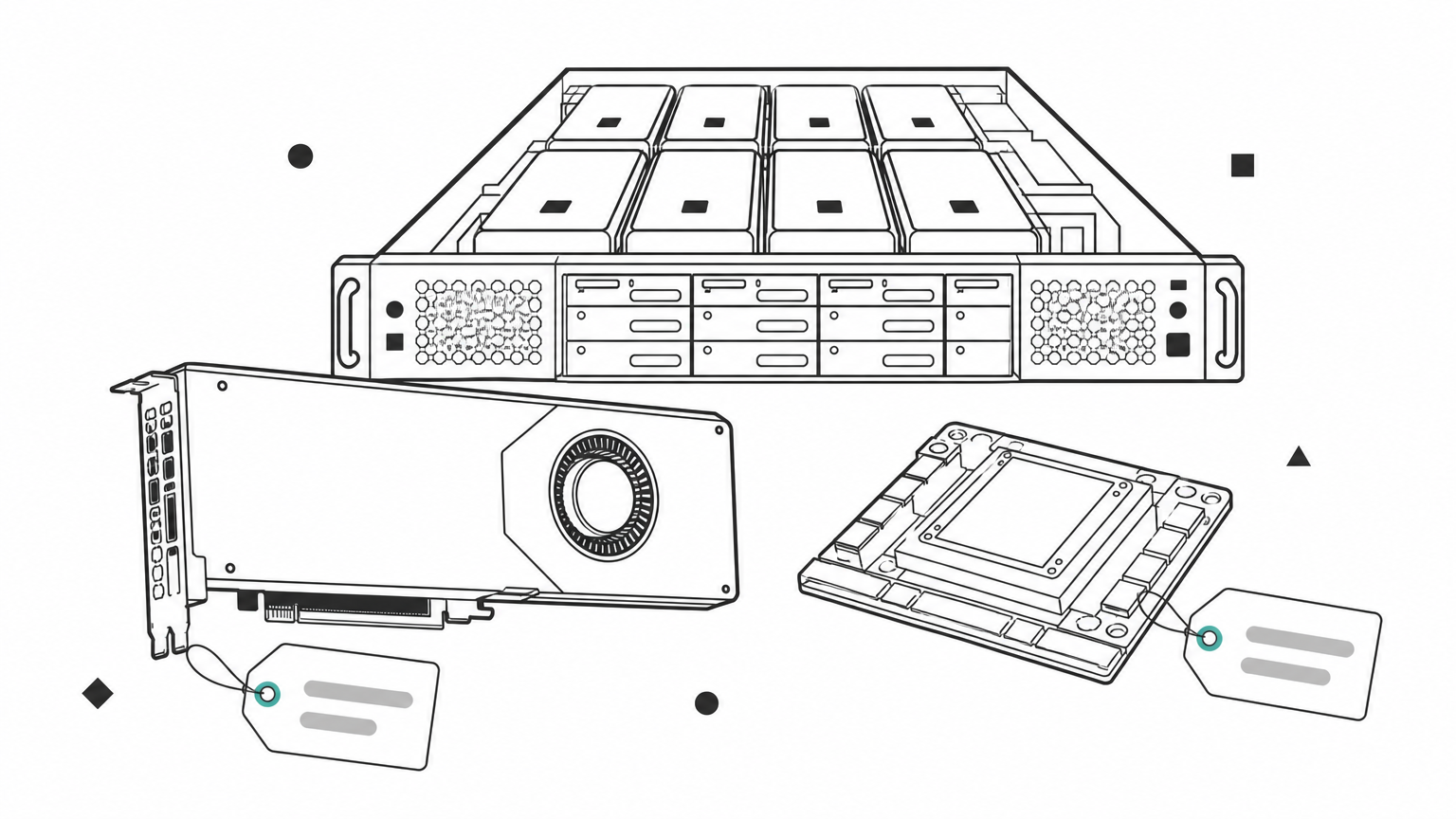
- Form factor. SXM cards carry faster GPU-to-GPU links and suit multi-GPU training. PCIe cards usually cost less and suit single-GPU inference.
- Host type. Marketplace hosts vary in quality. Secure or single-tenant capacity costs more and behaves more predictably.
- Bundled resources. vCPU count, system memory, local storage, and egress fees change the real hourly cost.
- Node size. AWS sells H100s as P5 instances with eight GPUs per node, so you pay for the whole node. Divide the node price by eight before you compare.
How to pick an H100 rental provider
Pick a provider by comparing price per GPU-hour on the same terms, then check bundled resources, startup time, tenancy, and egress. A cheap headline rate on the wrong form factor or with hidden fees costs more than a fair rate that fits.
A five-step checklist
- Normalize the price. Convert every quote to dollars per GPU-hour. Divide node prices by the GPU count.
- Match the form factor. Use PCIe for single-GPU inference or small fine-tuning. Use SXM when GPUs must talk to each other quickly.
- Check what is bundled. A single H100 80GB VM at Geodd lists 20 vCPUs, 128 GiB of memory, and 1,200 GB of storage. The two-GPU type lists 40 vCPUs, 256 GiB, and 2,500 GB. Weak CPU or disk can starve the GPU, so compare these specs.
- Check billing and startup. Per-minute billing and fast provisioning cut waste. Geodd's dedicated GPU access is billed hourly and is ready in 60 seconds to 5 minutes, depending on the GPU type.
- Check tenancy and egress. Decide whether you need bare metal, single-tenant capacity with SSH access. Ask what moving your data out costs.
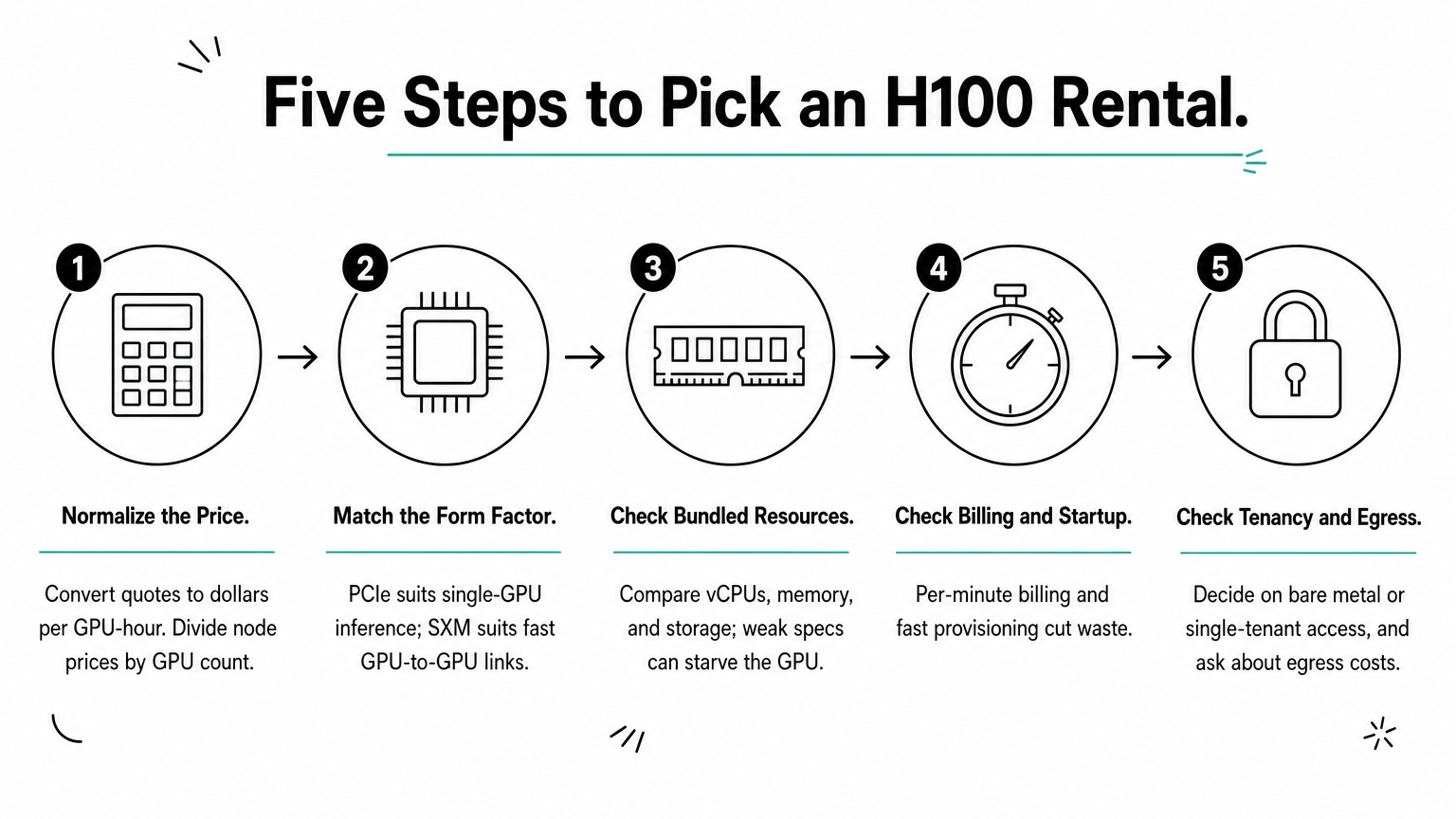
A low hourly rate is only a bargain when the specs, startup time, and egress terms fit your job.
A worked example: a 72-hour fine-tuning run
Say you fine-tune a model on 8 H100s for 72 hours. That is 576 GPU-hours. At $2.40 per GPU-hour the run costs $1,382.40. At the $3.54 market typical it costs $2,039.04. The $656.64 gap is real money, but a single forgotten weekend erases it. One H100 left idle for 48 hours at $3.54 costs $169.92. Billing granularity and shutdown discipline matter as much as the headline rate.
H100 rental vs buying: where the break-even sits
Renting beats buying for most teams unless the card stays busy for well over a year. A single H100 is often cited at around $25,000, and that figure excludes the server and everything around it.
The break-even math
Divide the card price by the hourly rate to find how many rented hours equal a purchase.
| Rate per GPU-hour | Hours to equal $25,000 | Days at 24/7 use |
|---|---|---|
| $1.99 | 12,563 | 523 |
| $2.40 | 10,417 | 434 |
| $3.54 | 7,062 | 294 |
These are best-case numbers for buying. At 40% utilization, matching a $2.40 rental takes 10,417 busy hours, which is about 26,042 calendar hours, or roughly three years. Providers that rent near $2 are betting on keeping cards busy for years. That is the same utilization you would need to justify buying.
What the math leaves out
The $25,000 covers the card only. A real deployment adds the server chassis, networking, power, cooling, rack space, and the staff to run them. Hardware also ages. Newer generations such as the H200 and B200 are already on rental menus, and a purchased H100 loses value as they spread. Renting lets you move to newer hardware without writing off a purchase.
Buy only when you can keep the GPUs busy for years. Otherwise, rent and keep the capital.
When per-token inference beats renting a GPU
If your goal is to serve an open model, per-token inference often costs less than a rented H100 that sits idle between requests. A rented GPU bills every hour whether or not traffic arrives.
Idle hours are the real cost
One H100 at $3.54 running around the clock for 30 days costs $2,548.80 (720 hours). That is a fair price for steady, heavy traffic. It is a poor price for a prototype or a spiky workload. OpenAI designed gpt-oss-120b to fit on a single 80 GB GPU, so teams often assume they must rent one. If your traffic is bursty, paying per token through an inference service avoids paying for idle time.
When a rented H100 is still the right call
Rent the GPU when you need custom runtimes, training or fine-tuning, fixed capacity, or full server control. Those jobs need hardware you control, not a shared endpoint. The deciding question is simple: do you need a model's output, or do you need the machine itself?
Rent by the hour, then decide
H100 rental rates run from about $1.99 to $3.55 per GPU-hour for most on-demand offers, with one-year contracts near $2.35. Compare on dollars per GPU-hour, match the form factor to your job, and check bundled specs, billing, and egress. Buying only wins when the cards stay busy for years, and per-token inference wins when traffic is uneven.
If you need single-tenant capacity with SSH access, Geodd offers dedicated H100 GPU access with hourly pricing on bare metal. Check the availability list for the current rate of each H100 configuration before you plan a run.