To use the Seedance 2 API, pick a provider that hosts ByteDance's Seedance 2.0, create an API key in its dashboard, and check whether it prices by the second or by the million tokens. Then submit an asynchronous generation task, poll it or wait for a webhook, and download the finished video. A first test clip needs about 30 lines of code.
The hard part is not the code. Seedance 2.0 is a closed model, so there is nothing to download, and no single page tells you where to buy access. Providers quote prices in different units, name their models differently, and sometimes blur Seedance 2.0 with the newer 2.5. Searches for a free key mostly lead to trial credits, not a real free tier.
This guide goes in order: who sells access, how to get and protect a key, how to estimate cost, how to send your first request, and what to fix before production. Geodd serves Seedance 2.0, Fast, and Mini through the Seedance 2.0 API, so the model IDs and prices below use those listings. Where details differ between providers, the guide says so and tells you what to copy from your provider's reference.
What the Seedance 2.0 API is and where to get it
Seedance 2.0 is ByteDance's multimodal video model, and its API generates clips from text, images, video, and audio references. It is not open source. You reach it through a hosted provider that gives you a key and bills your usage.
What you get from the model
Published guides describe three modes: text-to-video, image-to-video from a first frame or a first and last frame, and reference-to-video that mixes images, video clips, and audio in one request. The model generates synchronized audio with the picture. Output clips run roughly 4 to 15 seconds, and one guide lists up to 12 reference files per request.
Seedance 2.0 comes in variants. Geodd lists the standard model as a professional-grade multimodal model, Fast as the same core with quicker turnaround, and Mini as the cost-effective option. Some providers also sell Seedance 2.5, which supports longer clips. Check the model ID before you budget, because 2.0 and 2.5 are priced and limited differently.
Who offers access
You have four kinds of route, and the right one depends on whether you want a first-party contract or a simple pay-as-you-go key.
| Route | Examples | What to know |
|---|---|---|
| ByteDance first-party | BytePlus ModelArk (international), Volcengine (China) | Official docs and account verification. Best if you want the source reference. |
| Model marketplaces | fal, Replicate, OpenRouter, Segmind | Pay as you go. OpenRouter lists Seedance 2.0 from $0.06726 per second. |
| Seedance-focused resellers | PiAPI, kie.ai | Advertise trial credits and bundled modes. Read the terms before you rely on them. |
| Inference provider | Geodd | OpenAI-compatible API with Seedance 2.0, Fast, and Mini, priced per token. |
Prices and limits belong to each provider, so never assume one site's figures apply to another.
Open source, free access, and documentation
Seedance 2.0 is not open source. Every route above is a hosted API, so expect an account, a key, and a bill. There is no permanent free tier that I can point you to. Some providers give trial credits, which are enough for a handful of test clips.
For documentation, the first-party reference is the "Create a video generation task" page in BytePlus ModelArk. Each reseller then documents its own wrapper, with its own endpoint names and field names. Use the reference of the provider you pay, not a tutorial written for another one.
Seedance 2.0 is a hosted model, so every route to it is an account, a key, and a usage bill.
Step 1. Get your API key
You get a Seedance 2.0 API key by creating an account with your chosen provider, opening its API keys page, and generating a key. Copy it immediately, because many dashboards show the full key only once.
Create the account and the key
The flow is nearly identical everywhere:
- Sign up and verify your email. First-party platforms may ask for extra identity verification.
- Add a payment method or claim trial credits, if the provider offers them.
- Open the API keys page and create a key. Name it after the project or environment.
- Copy the key into a secret manager straight away.
Providers send the key as a bearer token on every request:
Authorization: Bearer YOUR_API_KEY
A missing, wrong, or revoked key returns an HTTP 401 error at providers that follow this convention. If your first call fails with 401, check the key before you debug anything else.
Keep the key out of your code
Put the key in an environment variable and read it on the server. Never ship it in browser or mobile code, because anyone can copy it and run up your bill. Create separate keys for development and production, so you can revoke one without breaking the other.
export VIDEO_API_KEY="paste-your-key-here"
export VIDEO_API_BASE_URL="paste-the-base-url-from-your-provider"
If a key leaks, revoke it in the dashboard first, then rotate the replacement into your deployment.
Pick the variant before you write code
On Geodd, the three Seedance 2.0 variants use these model IDs, and all three list Norway and Colombo, Sri Lanka as regions.
| Variant | Model ID | Use it for |
|---|---|---|
| Seedance 2.0 | bytedance/dreamina-seedance-2.0 | Final, professional-grade renders |
| Seedance 2.0 Fast | bytedance/dreamina-seedance-2.0-fast | Quicker iteration with the same core features |
| Seedance 2.0 Mini | bytedance/dreamina-seedance-2.0-mini | Cost-sensitive, higher-volume work |
A sensible habit is to test prompts on Fast or Mini and render the keepers on the standard model. The three sit side by side in the Geodd model catalog.
Create the key once, store it as a secret, and choose the model variant before you write a line of code.
Step 2. Estimate the cost per clip
Seedance 2.0 API pricing comes in two units, per second of video or per million tokens, and you must convert both to cost per clip before you compare providers. Published figures disagree by several times, so a small test beats any table.
Per second versus per token
Marketplaces such as OpenRouter quote a price per second of output. At its listed starting price of $0.06726 per second, a 5-second clip costs about $0.34 and a 10-second clip about $0.67. Resolution, audio, and reference inputs can move the real number, so treat it as a floor.
Geodd prices by token. Seedance 2.0 lists $4.30 per million input tokens and $7.00 per million output tokens. The pricing for Fast and Mini is on their model pages, so check there instead of guessing from the standard model. Token pricing is only comparable to per-second pricing once you know how many tokens a clip consumes.
A worked example with token pricing
The token counts below are illustrative, not measured. Replace them with the usage you see after your first real clip.
| Item | Tokens | Rate per million | Cost |
|---|---|---|---|
| Input (prompt and references) | 50,000 | $4.30 | $0.215 |
| Output (generated video) | 200,000 | $7.00 | $1.40 |
| One clip | about $1.62 |
At that size, 100 clips cost about $161.50. Run one clip, read the token usage in your dashboard, and scale from the real figure. Geodd's observability shows token usage in real time, which makes that check quick.
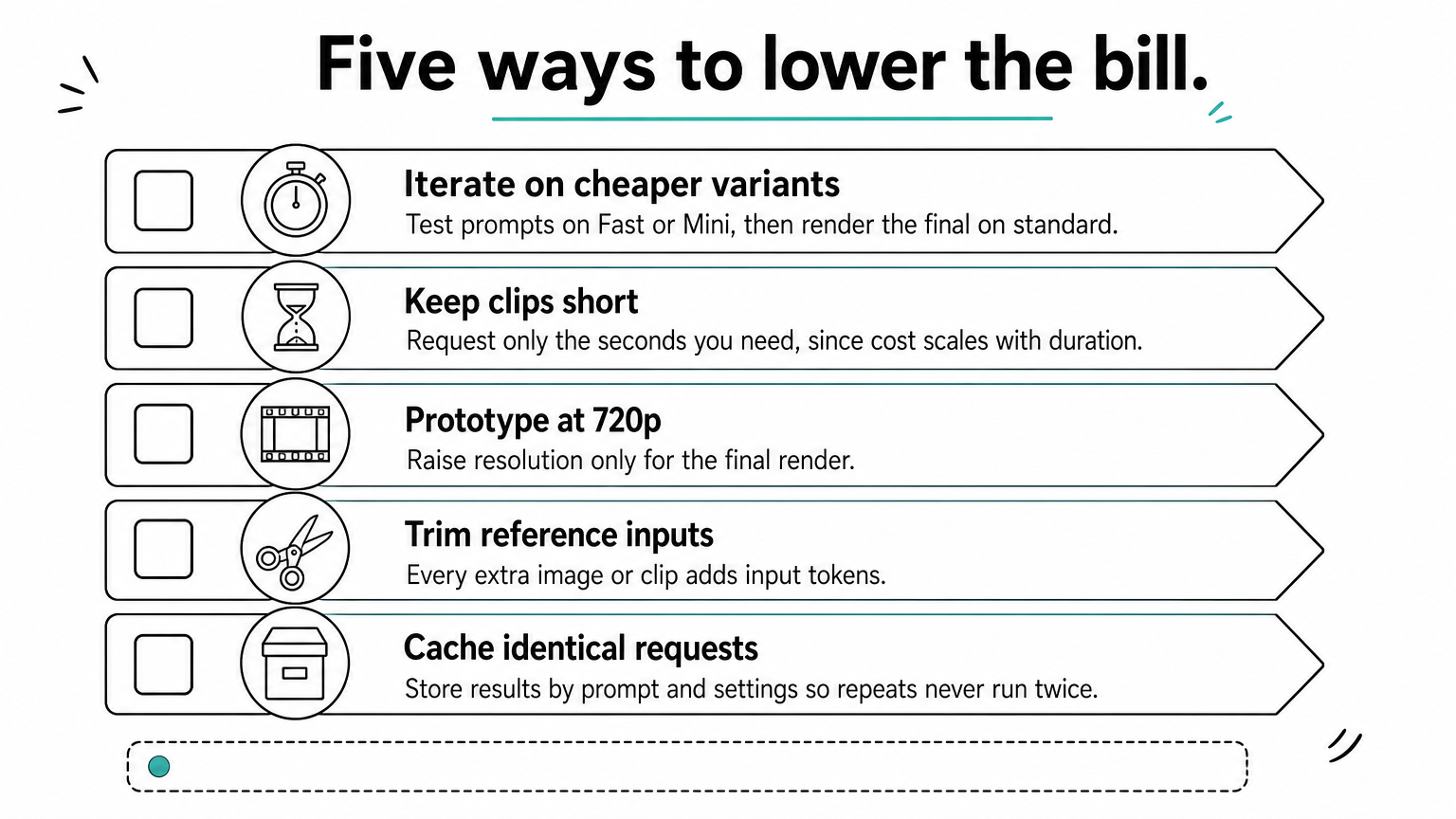
Ways to lower the bill
- Iterate on Fast or Mini, then render the final on standard Seedance 2.0.
- Keep clips short. Cost scales with duration, so request only the seconds you need.
- Prototype at 720p and raise resolution for the final render only.
- Trim reference inputs. Every extra image or clip adds input tokens.
- Cache results by prompt and settings so identical requests never run twice.
Convert every price to cost per finished clip, then confirm it with one real generation.
Step 3. Send your first generation request
Your first request is a POST that creates a task, followed by a status check until the video is ready. Video generation is asynchronous: you receive a task ID immediately and fetch the result later.
Submit and poll with Python
The pattern is the same across providers, but endpoint paths and field names differ. Copy the submit URL, status URL, and field names from your provider's API reference. The script below shows the structure, and the model ID is Geodd's.
import os
import time
import requests

API_KEY = os.environ["VIDEO_API_KEY"]
BASE_URL = os.environ["VIDEO_API_BASE_URL"]
SUBMIT_URL = f"{BASE_URL}/REPLACE_WITH_SUBMIT_PATH"
STATUS_URL = f"{BASE_URL}/REPLACE_WITH_STATUS_PATH"  # task ID is appended below

headers = {
    "Authorization": f"Bearer {API_KEY}",
    "Content-Type": "application/json",
}

payload = {
    "model": "bytedance/dreamina-seedance-2.0",
    "prompt": "A red kayak glides across a still mountain lake at sunrise, "
              "slow push-in, soft mist, gentle water sounds",
    "duration": 5,
    "aspect_ratio": "16:9",
    "resolution": "720p",
}

resp = requests.post(SUBMIT_URL, headers=headers, json=payload, timeout=30)
resp.raise_for_status()
task_id = resp.json()["id"]  # field name varies by provider
print("Submitted:", task_id)

deadline = time.time() + 300
delay = 5
while time.time() < deadline:
    r = requests.get(f"{STATUS_URL}/{task_id}", headers=headers, timeout=30)
    r.raise_for_status()
    data = r.json()
    status = data.get("status")
    if status in ("completed", "succeeded"):
        print(data)  # find the video URL field in this response
        break
    if status in ("failed", "cancelled"):
        raise RuntimeError(f"Generation failed: {data}")
    time.sleep(delay)
    delay = min(delay * 1.5, 20)
else:
    raise TimeoutError("Task did not finish in 5 minutes")
Guides report typical generation times of 30 to 120 seconds, so a 5-minute ceiling is generous. If a call fails, read the error body before you retry.
Choose a generation mode
The mode decides which inputs the request accepts.
| Mode | You send | Use it when |
|---|---|---|
| Text-to-video | Prompt only | The idea starts from words |
| Image-to-video | Prompt plus one first-frame image, or first and last frames | You must keep a specific look or product shot |
| Reference-to-video | Prompt plus images, video clips, or audio | You need a character, motion, or soundtrack to carry over |
Reference inputs have limits. One guide lists up to 12 files per request, and BytePlus caps reference videos at 3 for the 2.0 series. Check your provider's limits before you design a workflow around many references.
Write a prompt the model can follow
Specific prompts give predictable clips. Name the subject, the action, the setting, the camera move, the lighting, and the sound, in that order.
[Subject] [action], [setting], [camera movement], [lighting and mood], [sound]
"A car on a road" leaves everything to chance. "A red sports car follows a coastal road at golden hour, side tracking shot, ocean in the background, engine hum and wind" gives the model something to follow. Change one element per test so you can see what caused the difference.
Submit, receive a task ID, poll until it finishes, and read the real video field from your provider's response.
Step 4. Prepare the integration for production
A production setup replaces the polling loop with a webhook where the provider supports one, stores every video in your own storage, and handles rate limits and failures. Polling is fine for development, but it wastes calls at volume.
Use webhooks and retries
Some providers accept a callback URL on submit and post the result when the task ends, which avoids aggressive polling. Where yours does, your endpoint should return a 200 quickly and process the result in a background job. Keep these habits either way:
- Back off when polling, starting near 5 seconds and growing.
- Retry on HTTP 429 with a delay instead of hammering the endpoint.
- Set a timeout per task and log the ones that exceed it.
- Validate inputs first: image size, file type, and prompt length cost nothing to check and waste money if wrong.
Credit handling for failed tasks varies by provider, so confirm whether failed or timed-out tasks are refunded.
Store what you generate
Result URLs are often temporary. Download each finished video to your own object storage and save the URL you control. Log the model ID, duration, resolution, and token usage next to each task. That log is how you catch a cost surprise within a day.
Check region and data handling
Reference images and clips can contain faces and personal data, so decide where they may be processed. Geodd's Seedance 2.0 listings show Norway and Colombo, Sri Lanka as regions. If you need processing in a specific region, confirm it on the model page before you build. For EU customers, Geodd hosts API inference in EU data center infrastructure by default.
Geodd does not use API data for model training. It also does not store API prompts, outputs, or uploaded files unless separately agreed in writing. Whatever provider you pick, ask for the same three answers in writing: whether data trains models, whether prompts and outputs are stored, and where inference runs.
Production-ready means webhooks or backoff, your own video storage, and a written answer on data handling.
Start with one short test clip
To use the Seedance 2 API, choose a provider, create and protect a key, convert the price into cost per clip, and run a short asynchronous test. Then harden it with webhooks, retries, storage, and a clear data-handling answer. One real clip tells you more about cost and quality than any pricing table.
Start on Fast or Mini, read the token usage after the first run, and move to standard Seedance 2.0 only for final renders. Pull the exact endpoint and field names from your provider's reference, because those details change between platforms. When you are ready to run it, open the Seedance 2.0 Fast API page, compare its pricing with the standard and Mini pages, and call all three through one API.