The best GPU for LLM work is the one with enough VRAM for your model, and then the one with the most memory bandwidth you can afford. For most people that means an RTX 5090 if budget allows, a used RTX 3090 if you want 24 GB cheaply, and an RTX 5060 Ti if you only run 8B to 14B models. If you need 70B models on a single card, step up to an RTX PRO 6000 Blackwell or a rented H200.
Picking wrong is expensive. A card that is 2 GB short pushes model layers into system RAM, and generation speed collapses. Prices make it harder: in 2026 a memory shortage pushed street prices on several cards far above their launch MSRP. This guide ranks seven NVIDIA GPUs by VRAM, budget, and use case, and it shows the model-size math so you can check any card yourself.
Geodd is an AI inference company that serves models through an API and rents H100, H200, and RTX PRO 6000 Blackwell GPUs by the hour. That means the buy-or-rent question is one we deal with directly. We flag where renting wins and where a card on your desk is the better deal.
How much VRAM you need to run an LLM
The VRAM you need is the size of the model weights plus 20 to 30 percent for the context cache and runtime overhead. If the total exceeds your card's memory, the model spills into system RAM and runs at a fraction of GPU speed. Check this number before you compare any cards.
Match VRAM to model size
Weights scale with parameter count and precision. At FP16 each parameter takes 2 bytes, at INT8 one byte, and at INT4 half a byte. The table shows weights only, so add the overhead on top.
| Model size | FP16 | INT8 | INT4 (Q4) |
|---|---|---|---|
| 8B | ~16 GB | ~8 GB | ~5 GB |
| 13B | ~26 GB | ~13 GB | ~8 GB |
| 32B | ~64 GB | ~32 GB | ~16 GB |
| 70B | ~140 GB | ~70 GB | ~35 GB |
Take a 32B model at Q4. The weights are about 16 GB, and adding 25 percent gives roughly 20 GB in total. That fits a 24 GB card but not a 16 GB one. A 70B model at Q4 needs about 35 GB plus 25 percent, or roughly 44 GB, which is more than any consumer card holds. For everyday local inference, Q4 is the usual compromise between size and quality.
Add 25 percent to the weights, and if the total is above your VRAM, the card is wrong for that model.
Why memory bandwidth ranks second
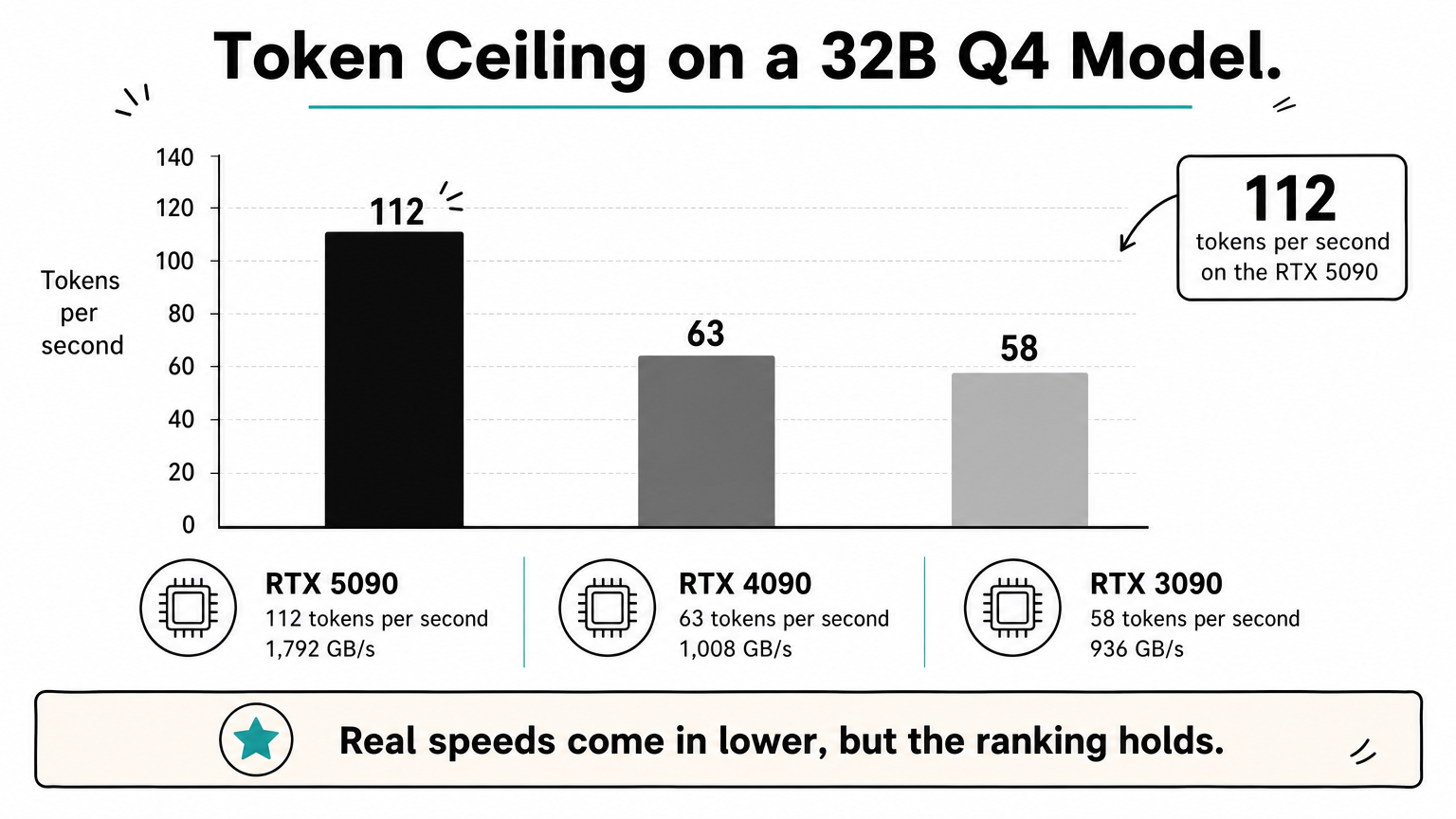
Once a model fits, memory bandwidth sets generation speed. Each new token requires reading the active weights from VRAM, so the ceiling is roughly bandwidth divided by model size. For a 32B model at Q4 (about 16 GB), that ceiling is around 112 tokens per second on a 5090 (1,792 GB/s), 63 on a 4090 (1,008 GB/s), and 58 on a 3090 (936 GB/s). Real speeds come in lower, but the ranking holds.
This list sticks to NVIDIA because its software support is the broadest across Ollama, LM Studio, llama.cpp, and vLLM. AMD cards such as the RX 7900 XTX (24 GB, $999 at launch) work if your runtime supports them, so check runtime support before buying one.
1. RTX 5090: the most VRAM on a consumer card
Specs and what it runs
- VRAM: 32 GB GDDR7
- Memory bandwidth: 1,792 GB/s
- Board power: 575 W
- Launch price: $1,999
The RTX 5090 is the best NVIDIA GPU for LLM use on a desktop, because 32 GB is the most any consumer card offers and its bandwidth is the highest too. It runs 32B-class models at Q4 with room for long context, and 8B to 14B models very fast. It cannot hold a 70B model at Q4 on its own, since the weights alone are about 35 GB. You would offload layers to system RAM or accept a harsher quantization.
Price, trade-offs, and who it suits
Price is the problem. Reports in 2026 put street prices around $4,300 to $5,000 against the $1,999 launch MSRP. At that level, compare it with renting before you commit.
Buy the 5090 only if 32B models with long context are your daily work, and only near MSRP.
Power is the second cost. The card draws 575 W, and NVIDIA recommends a 1,000 W power supply, so check your case and PSU. It suits developers and enthusiasts who run one large quantized model at a time and want the fastest single card.
2. RTX 4090: fast 24 GB for 32B models
Specs and what it runs
- VRAM: 24 GB GDDR6X
- Memory bandwidth: 1,008 GB/s
- Board power: 450 W
- Launch price: $1,599
The RTX 4090 handles everything up to 32B at Q4, which needs about 20 GB with overhead. It also runs 27B to 35B models, 14B models at high quantization, and 7B to 8B models at FP16. For single-user chat, its decode speed lands close to a 3090, because bandwidth is only about 8 percent higher (1,008 vs 936 GB/s).
Price, trade-offs, and who it suits
Where the 4090 pulls ahead is compute: prompt processing, long inputs, batch jobs, and image generation all run noticeably faster than on a 3090. Street prices of roughly $1,600 to $2,000 were reported earlier in 2026, and supply is mostly secondary-market, so buy with a return window.
Pay the 4090 premium for compute-heavy work; for plain chat, a cheaper 24 GB card does nearly as well.
It suits people who mix LLMs with image generation or fine-tuning and want 24 GB without waiting for 5090 prices to fall.
3. Used RTX 3090: the best value per gigabyte
Specs and what it runs
- VRAM: 24 GB GDDR6X
- Memory bandwidth: 936 GB/s
- Board power: 350 W
- Launch price: $1,499
A used RTX 3090 gives you the same 24 GB as a 4090 and runs the same models, 32B at Q4 included. Many buyers consider it the best value per gigabyte of VRAM, because capacity matters more than card age for local inference. Decode speed is within about 8 percent of the 4090 on bandwidth alone.
Price, trade-offs, and who it suits
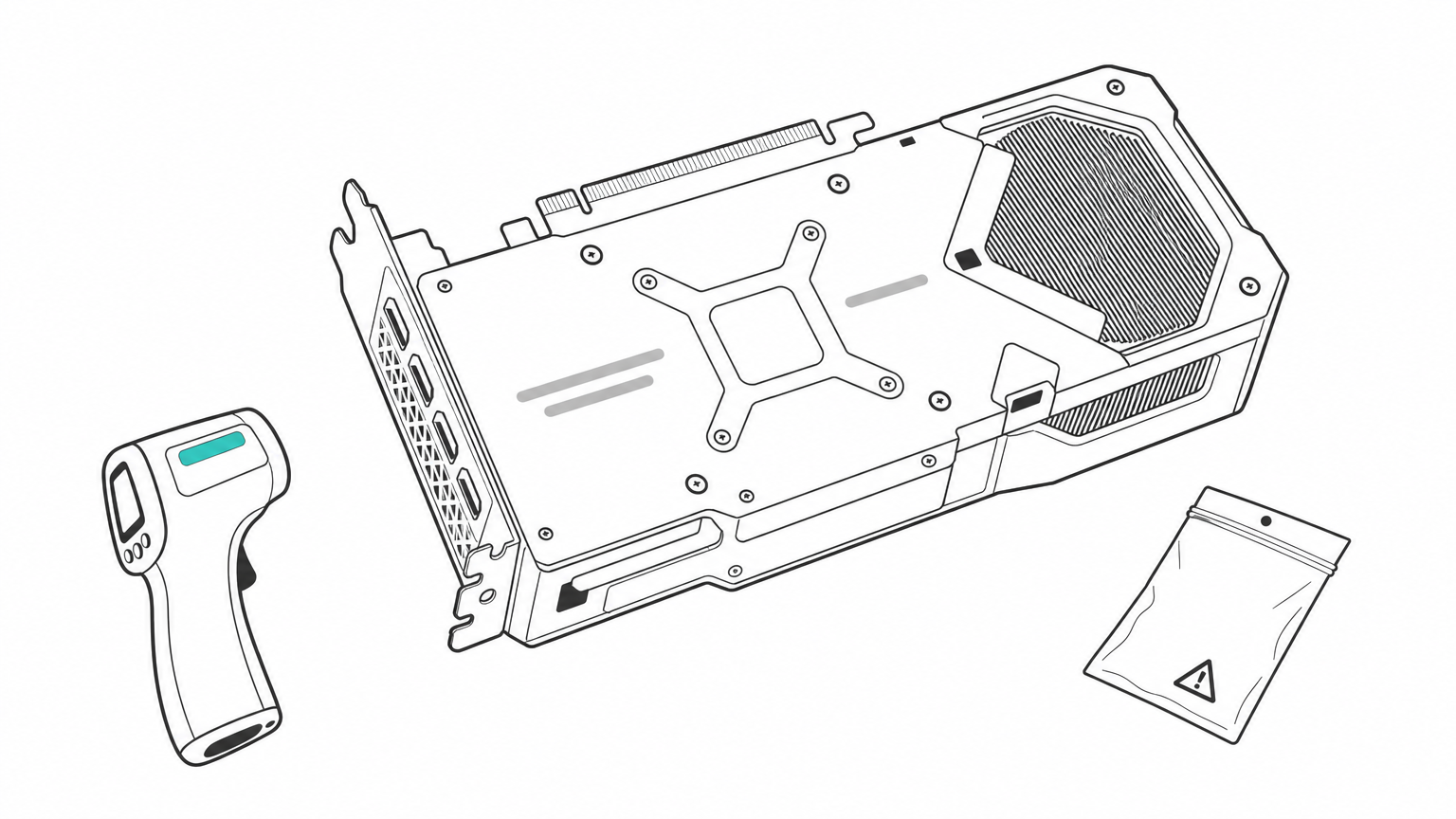
Used listings of roughly $700 to $1,000 were reported earlier in 2026, but trackers disagree, so compare recent sold listings rather than asking prices. Memory runs hot on many 3090 models, so test under sustained load and check temperatures. Confirm the seller's return terms.
For 24 GB at the lowest cost, a tested used 3090 beats any new card on this list.
It draws 350 W, less than the 4090 and far less than the 5090. It suits budget builders, students, and anyone who wants to run 32B models without paying 5090 money.
4. RTX 5060 Ti 16 GB: the best new card on a budget
Specs and what it runs
- VRAM: 16 GB
- Memory bandwidth: 448 GB/s
- Board power: 180 W
- Launch price: $429
The RTX 5060 Ti 16 GB runs 14B models at Q4 comfortably and 8B models with plenty of context. OpenAI's gpt-oss-20b is designed to run within 16 GB of memory, so it fits too. Anything at 30B or above needs offloading, and speed drops sharply. For coding assistants and everyday chat on 7B to 14B models, it is enough.
Price, trade-offs, and who it suits
Its bandwidth is less than half of a 4090's, so generation is slower even on models that fit. The price has also drifted: reports put the median street price near $805, about 88 percent above the launch price. At that figure a used 3090 gives you 8 GB more VRAM and about twice the bandwidth for similar money.
At $429 this card is a bargain; at $800 it is not.
Buy it near MSRP if you want a quiet, 180 W card for small models, and skip it if street prices stay high.
5. RTX 5080: fast, but capped at 16 GB
Specs and what it runs
- VRAM: 16 GB
- Memory bandwidth: 960 GB/s
- Board power: 360 W
- Launch price: $999
The RTX 5080 runs the same models as the 5060 Ti, meaning 14B at Q4 and 8B at higher quality. With more than twice the bandwidth (960 vs 448 GB/s), it generates tokens roughly twice as fast on a model that fits. It still cannot load 32B models at Q4, which need about 20 GB with overhead.
Price, trade-offs, and who it suits
You pay for speed, not capacity. Because its VRAM ceiling matches a card that costs far less, the 5080 makes sense mainly if you also game on the machine. A 3090 or 4090 gives you more room for bigger models.
The 5080 is the right LLM card only if you live in the 8B to 14B range and want low latency.
It suits people who run small models all day, such as coding autocomplete or voice assistants, where response time matters more than model size.
6. RTX PRO 6000 Blackwell: 70B models on one card
Specs and what it runs
- VRAM: 96 GB GDDR7 with ECC
- Memory bandwidth: about 1.8 TB/s
- Board power: up to 600 W
With 96 GB, the RTX PRO 6000 Blackwell is the only single workstation card here that holds a 70B model at Q4 (about 44 GB with overhead) with generous room for long context. A 109B model at INT4 (about 55 GB) fits too. A 70B model at INT8 needs roughly 88 GB with overhead, which is tight but possible at modest context.
Price, trade-offs, and who it suits
This is a professional card, priced far above any GeForce model, so most individuals should not buy one. Renting makes more sense: Geodd offers the RTX PRO 6000 Blackwell on demand for inference, fine-tuning, and model development, billed hourly.
If you need 70B quality but not 70B uptime, rent this card by the hour instead of buying it.
It suits teams evaluating large open models, developers who need long context on 70B, and anyone who wants to test before committing to hardware.
7. H200: the pick for 70B+ models you rent
Specs and what it runs
- VRAM: 141 GB HBM3e (H100: 80 GB HBM3)
- Memory bandwidth: 4.8 TB/s (H100: 3.35 TB/s)
- Power: 700 W in SXM form (H100: 700 W)
The H200 holds a 70B model at INT8 (about 88 GB with overhead) on a single GPU, which the H100's 80 GB cannot do comfortably. Its 4.8 TB/s of bandwidth is nearly three times the 5090's, which matters when many users share one model. The H100 is the cheaper step down. OpenAI says gpt-oss-120b runs on a single 80 GB GPU, so an H100 covers that model.
Price, trade-offs, and who it suits
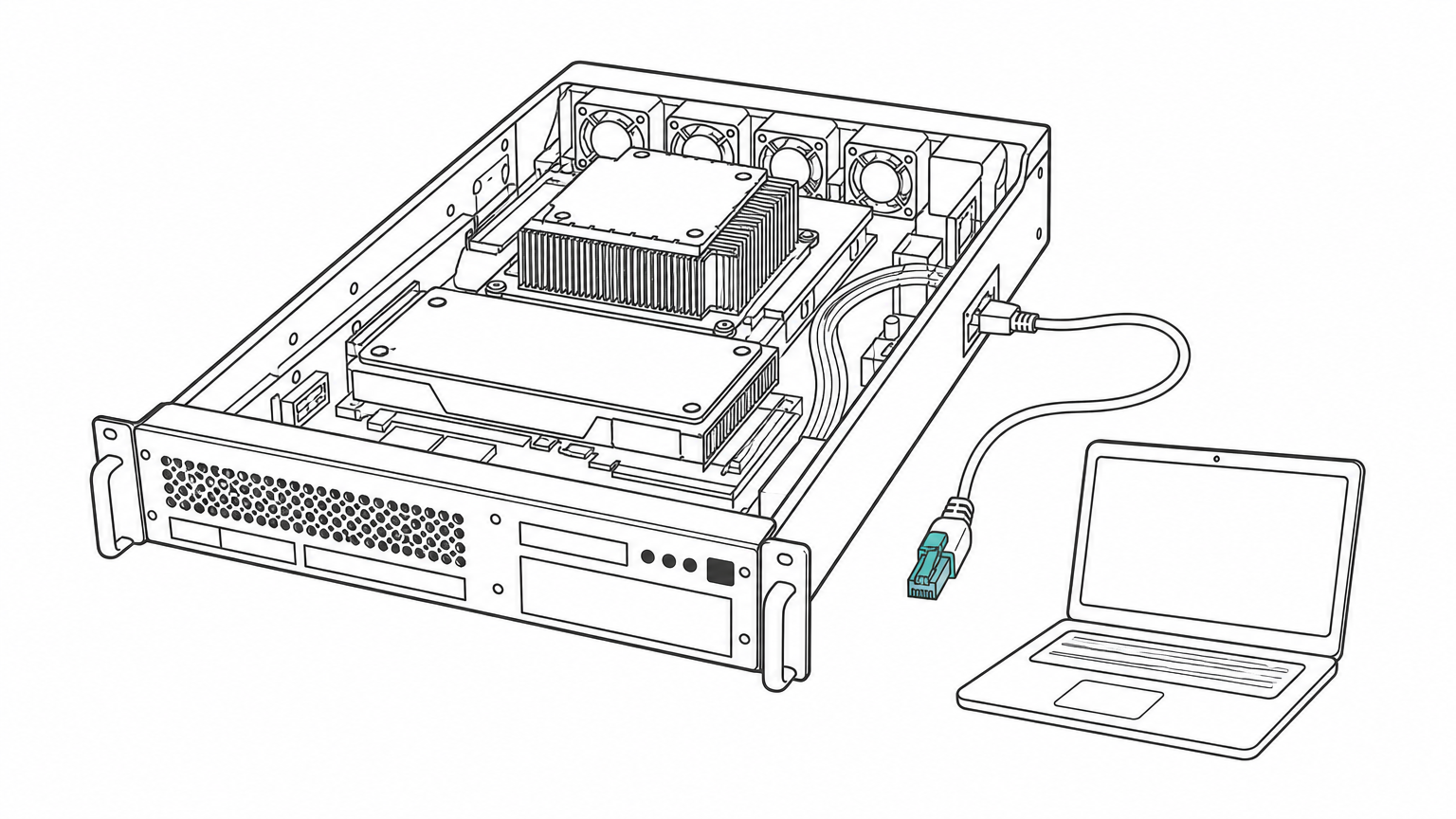
Nobody buys these for a desk. Geodd rents H200 and H100 as bare-metal, single-tenant servers with SSH access and hourly pricing, ready in 60 seconds to 5 minutes depending on the GPU type. The H200 rental page lists availability. For smaller jobs, a single H100 VM comes with 20 vCPUs, 128 GiB of memory, and 1,200 GB of storage.
For 70B and larger models serving real users, a rented H200 beats any card you can buy for a desk.
It suits teams serving 70B-class models to users, or anyone who needs several GPUs for a few days rather than for years.
Which GPU to pick, and whether to buy at all
Match your target model to the VRAM column first, then choose by budget. If you only need a model for a few hours a week, renting or using an API usually costs less than buying.
Quick picks by budget and model size
| Your goal | Pick | VRAM |
|---|---|---|
| Cheapest new card for 8B to 14B | RTX 5060 Ti | 16 GB |
| Faster 8B to 14B, also gaming | RTX 5080 | 16 GB |
| Best value for 32B models | Used RTX 3090 | 24 GB |
| Fastest 24 GB card | RTX 4090 | 24 GB |
| 32B with long context, top consumer speed | RTX 5090 | 32 GB |
| 70B at Q4 on one card | RTX PRO 6000 Blackwell | 96 GB |
| 70B at INT8, many users, gpt-oss-120b | H200 or H100 | 141 GB or 80 GB |
When renting or an API beats buying
Compare the card price with the hourly rental rate. Divide one by the other to get the hours of use at which buying breaks even. If you run a small model daily, a card pays back. If you run a large model occasionally, it does not. Also remember that NVIDIA's GeForce license restricts data center use of consumer cards, so serving customers calls for data center GPUs.
If you only want the model, skip the hardware. Geodd's GPT-OSS-120B API is OpenAI-compatible and priced per token. The company does not use API data for training and does not store prompts or outputs unless separately agreed in writing. You switch by changing the base URL in the OpenAI SDK.
Choosing your card
Start with the model, not the card. Work out weights plus 25 percent, then pick the cheapest GPU whose VRAM covers it. A used 3090 is the value pick, the 5090 is the fastest consumer option, and the 5060 Ti suits small models if prices come back to MSRP. For 70B and beyond, rent instead of buying.
If you want to test a big model before spending anything on hardware, you can rent H100, H200, and RTX PRO 6000 GPUs by the hour and run the same workload you planned for your desk.