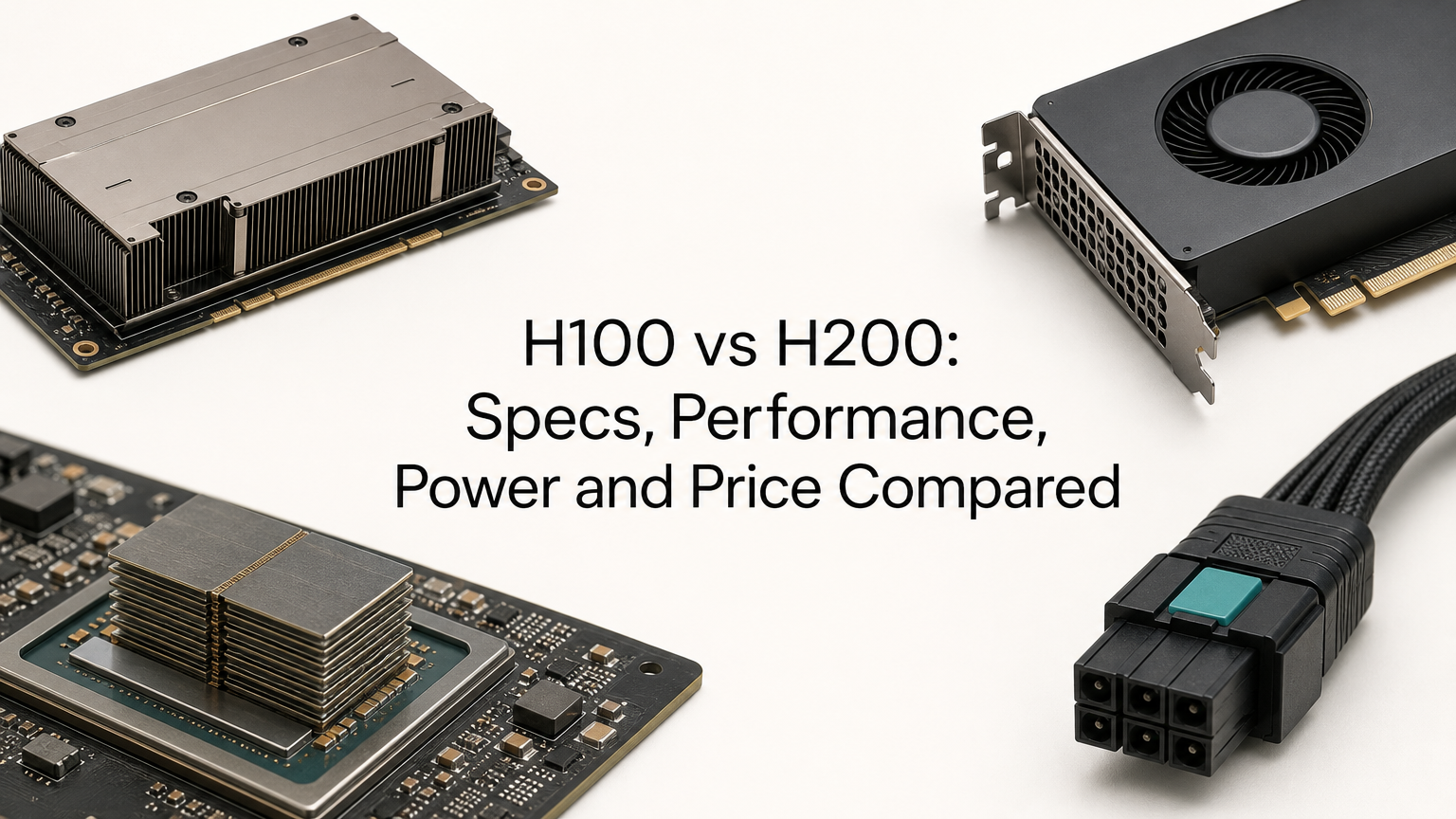
The H100 vs H200 question comes down to memory. Both are NVIDIA Hopper GPUs with the same compute engine, but the H200 carries 141 GB of HBM3e at 4.8 TB/s, while the H100 carries 80 GB of HBM3 at 3.35 TB/s. The SXM versions draw the same power, up to 700 W. The H200 runs memory-bound LLM inference roughly 1.4x to 1.9x faster and costs more, but it gains little on compute-bound work.
The H100 launched in 2022 as NVIDIA's flagship data center GPU for transformer training and inference. The H200 followed in 2024 as a refresh built on the same GH100 silicon, with faster and larger memory. That is why the two share peak FLOPS ratings, and why the comparison is more nuanced than "newer is better."
This article puts the specs side by side, explains what the performance gap means in practice, and covers power draw and the price of buying or renting each card. It ends with a way to decide. Geodd runs dedicated H100 and H200 capacity as well as serverless inference, so we see both sides of this choice, including the cases where renting neither card is the right call.
Why the H100 vs H200 gap matters
The gap matters because it is almost entirely about memory, and memory decides two things: whether your model fits on one GPU, and how fast that GPU generates tokens. If you misread this, you either overpay for capacity you do not use or run out of room mid-deployment.
Same Hopper chip, different memory
On paper, the SXM versions of the H200 and H100 are identical in compute. Only the memory subsystem changes.
| Spec (SXM) | H100 | H200 |
|---|---|---|
| Architecture | Hopper | Hopper |
| Memory | 80 GB HBM3 | 141 GB HBM3e |
| Memory bandwidth | 3.35 TB/s | 4.8 TB/s |
| FP8 Tensor Core (with sparsity) | 3,958 TFLOPS | 3,958 TFLOPS |
| FP16/BF16 Tensor Core (with sparsity) | 1,979 TFLOPS | 1,979 TFLOPS |
| NVLink bandwidth | 900 GB/s | 900 GB/s |
| Max power (TDP) | Up to 700 W | Up to 700 W |
The H200 gives you 76% more capacity and 43% more bandwidth from the same chip. Every other line in the table matches.
What the extra memory changes in practice
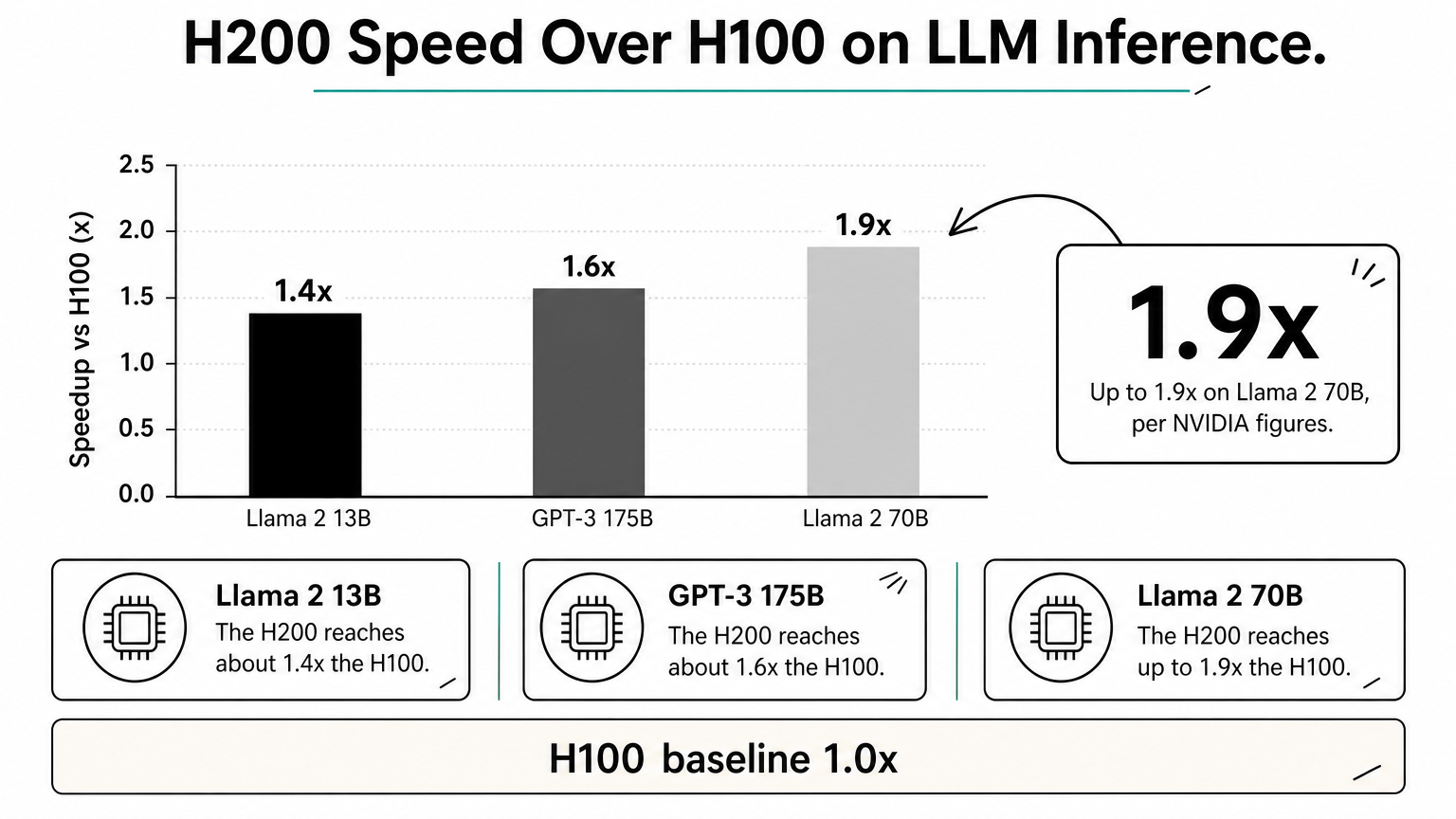
LLM token generation is limited by how fast the GPU can read weights and the KV cache from memory, not by raw FLOPS. Faster memory therefore speeds up decoding directly. NVIDIA's own figures show the H200 at about 1.4x the H100 on Llama 2 13B, 1.6x on GPT-3 175B and up to 1.9x on Llama 2 70B. In MLPerf Inference v4.0, the H200 posted up to about 45% more throughput on Llama 2 70B.
Training is a different story. Because peak compute is the same, a model that already fits on an H100 trains at similar speed on an H200. The gain is indirect. More memory allows larger batches and fewer parallelism tricks such as sharding or offloading, which can cut communication overhead.
The H200 is not a faster chip. It is the same chip with more room and a wider pipe to its memory.
How to choose between H100 and H200
Choose the H200 when your model or its KV cache is squeezing into 80 GB, or when you serve long contexts and large batches. Choose the H100 when your model fits comfortably, your workload is compute-bound, or the hourly price matters more than peak throughput.
Match the GPU to your workload
- Large-model inference (70B and up): the H200. More cache room means bigger batches and higher throughput per GPU.
- Long-context serving: the H200. The KV cache grows with every token of context and every concurrent request.
- Small and mid-size models (up to roughly 30B): the H100. Extra memory sits idle.
- Training and fine-tuning where the model already fits: the H100. Compute is identical, so you pay less for the same math.
- Training very large models: the H200, if it lets you drop sharding or offloading, which simplifies code.
- Burst or experimental work: whichever is cheaper per hour right now, since the code runs on both unchanged.
Run the memory math first
Estimate weights as parameters times bytes per parameter. A 70B model in FP16 needs about 140 GB, which fills an entire H200 and leaves nothing for cache. In FP8 it needs about 70 GB. On an H100 that leaves roughly 10 GB for the KV cache and overhead, so batches stay tiny. On an H200 it leaves around 70 GB, enough for far more concurrent requests.
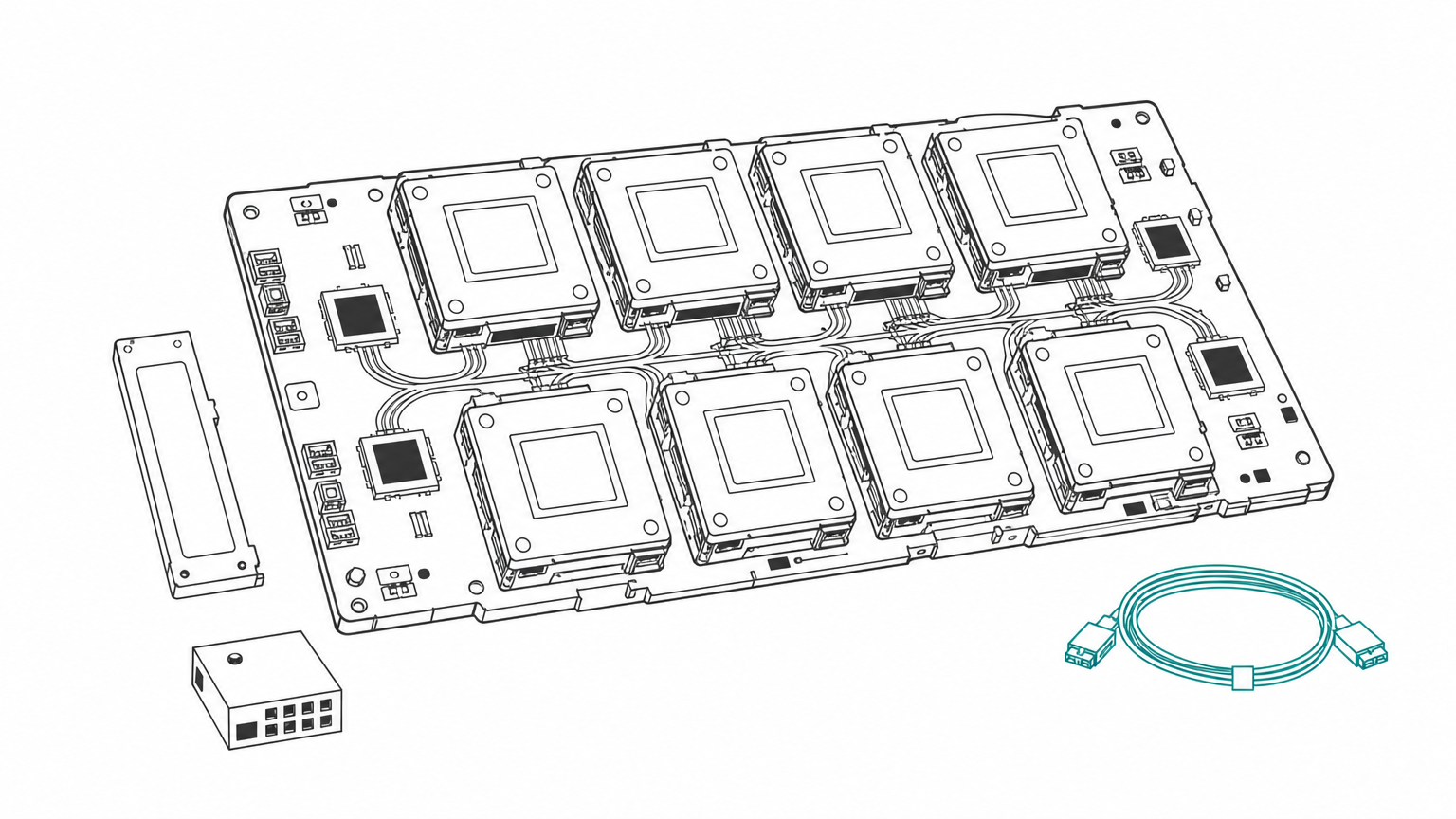
The same logic applies at node level. An eight-GPU H100 node has 640 GB of memory, and an eight-GPU H200 node has 1,128 GB. One H200 also tends to beat two H100s for simplicity. Two H100s give you 160 GB but force tensor parallelism and cross-GPU communication, while a single H200 avoids both.
If you only need tokens from an open model, you may not need to rent a GPU at all. A serverless API such as Geodd's inference service removes the memory math and bills per token.
Do the memory math before you compare prices, because a card that does not fit your model is not cheaper.
H100 vs H200 power consumption and related GPUs
The H100 and H200 draw the same power in SXM form, so the H200 delivers more tokens per watt on memory-bound workloads. Power only separates the cards when you compare PCIe and NVL variants.
Power draw side by side
| Variant | Memory | Max power |
|---|---|---|
| H100 SXM | 80 GB HBM3 | Up to 700 W |
| H100 PCIe | 80 GB HBM2e | 350 W |
| H100 NVL | 94 GB HBM3 | 350 to 400 W (configurable) |
| H200 SXM | 141 GB HBM3e | Up to 700 W |
| H200 NVL | 141 GB HBM3e | Up to 600 W (configurable) |
Because the SXM boards match, rack power planning does not change if you move from HGX H100 to HGX H200 nodes. If an H200 finishes the same inference job in two thirds of the time, you spend less energy per token. NVIDIA's launch material claimed up to half the energy use for LLM inference, though your result depends on the model and serving setup.
H800, A100 and Blackwell in context
The H800 is the export-market variant of the H100. It keeps the 80 GB of memory but, according to widely reported specs, has much lower NVLink bandwidth (400 GB/s versus 900 GB/s), which hurts multi-GPU training. The A100 80GB sits further back at about 2 TB/s of bandwidth, so the H200 offers roughly 2.4x the memory speed and is clearly faster.
The H200 is not NVIDIA's best GPU anymore. Blackwell's B200 offers up to 192 GB of HBM3e at 8 TB/s. Within the Hopper generation, though, the H200 is the top choice for memory-heavy work, and it is often easier to find and rent than newer parts.
Same board power with higher throughput means the H200 wins on energy per token, not on watts.
H100 vs H200 price to buy and rent
The H200 costs more than the H100 both to buy and to rent, but the premium is often smaller than the performance gain on memory-bound workloads. Exact numbers move quickly, so treat any quoted price as a snapshot and confirm it with the seller.
What buying and renting cost
Buying a single card has generally meant paying tens of thousands of dollars, with the H200 priced above the H100. Full eight-GPU HGX systems run to several hundred thousand dollars once you add networking, CPUs and cooling. Most teams skip that capital outlay and rent by the hour.
Rental rates vary widely by provider, region and commitment length, and the H100 has become cheaper as supply has grown. The H200 usually carries a per-hour premium. Why is the H200 so expensive? It uses newer HBM3e memory, packs more of it per card, and demand from LLM serving has stayed high.
At Geodd, dedicated GPU access is bare metal and single tenant, with H200, H100 and RTX PRO 6000 options, SSH access and hourly billing. Instances are ready in 60 seconds to 5 minutes depending on GPU type. A 1x H100 80GB machine comes with 20 vCPUs, 128 GiB of RAM and 1,200 GB of storage, and a 2x H100 type has two H100 80GB cards. Check the dedicated deployment page for current hourly rates.
A worked cost-per-token example
Price per hour means little without throughput. The table below uses illustrative numbers, not quotes: an H100 at $2.50 per hour producing 1,000 tokens per second (3.6 million tokens per hour), and an H200 at $3.50 per hour, which is 1.4x the price.
| H200 speedup over H100 | H100 cost per 1M tokens | H200 cost per 1M tokens |
|---|---|---|
| 1.2x | $0.69 | $0.81 |
| 1.4x | $0.69 | $0.69 |
| 1.9x | $0.69 | $0.51 |
The break-even point equals the price ratio. If the H200 costs 1.4x as much, it needs to be more than 1.4x faster on your workload to win on cost. For a 70B model with long contexts, NVIDIA's numbers suggest it clears that bar. For a small model that already fits on an H100, it will not. Benchmark your own model before you commit.
The H200 is cheaper per token only when its speedup on your workload exceeds its price premium.
Picking the right Hopper GPU
The H100 and H200 share the same compute, so the decision rests on memory. Pick the H200 for large models, long contexts and high-concurrency inference. Pick the H100 when your model fits easily in 80 GB or when training compute is your bottleneck. Power draw is the same for SXM cards, and price only makes sense when divided by throughput.
Test your own model on both cards for an hour before you commit to a long rental. If you want to run that test on single-tenant hardware with SSH access, you can rent a dedicated H100 or H200 GPU from Geodd and pay by the hour.