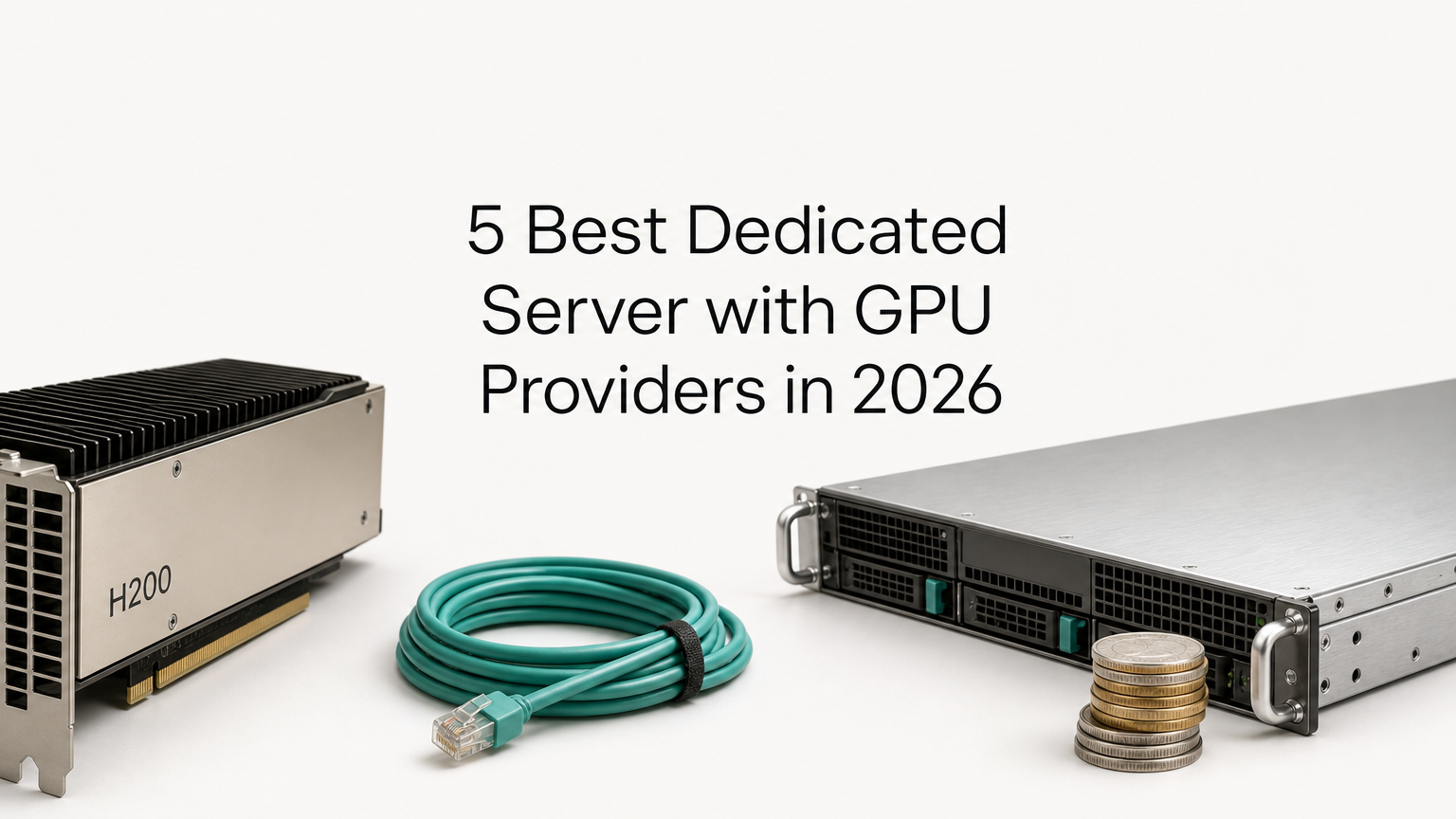
The best dedicated server with GPU is a single-tenant machine from a provider that publishes its prices and lets you match video memory (VRAM) to your model. Geodd suits hourly bare metal H100, H200 and RTX PRO 6000 work. Hetzner suits steady monthly workloads in Europe. Leaseweb suits configurable H100 and H200 servers on monthly contracts. Atlantic.Net suits regulated data. HorizonIQ suits teams that want a data-center NVIDIA lineup from L40S up to H200.
Comparing these offers is harder than it should be. One provider bills by the hour, another by the month with a setup fee. Prices appear in different currencies, and the same GPU name can mean different memory sizes and CPUs around it. You can easily pay for a card that is too small for your model, or for 24/7 capacity you only use a few hours a day.
This article lists five providers with the same details for each: what you can rent, what it costs, and who it fits. A final section puts the prices side by side, works through a monthly example and shows how to size VRAM. We rent GPUs at Geodd, so we list ourselves first and say where others are the better choice. Prices exclude VAT unless stated, so confirm them before you order.
1. Geodd
Geodd rents bare metal GPU servers by the hour, with no shared resources. It is the best fit here when your usage is bursty or you want a server running in minutes.
What you can rent
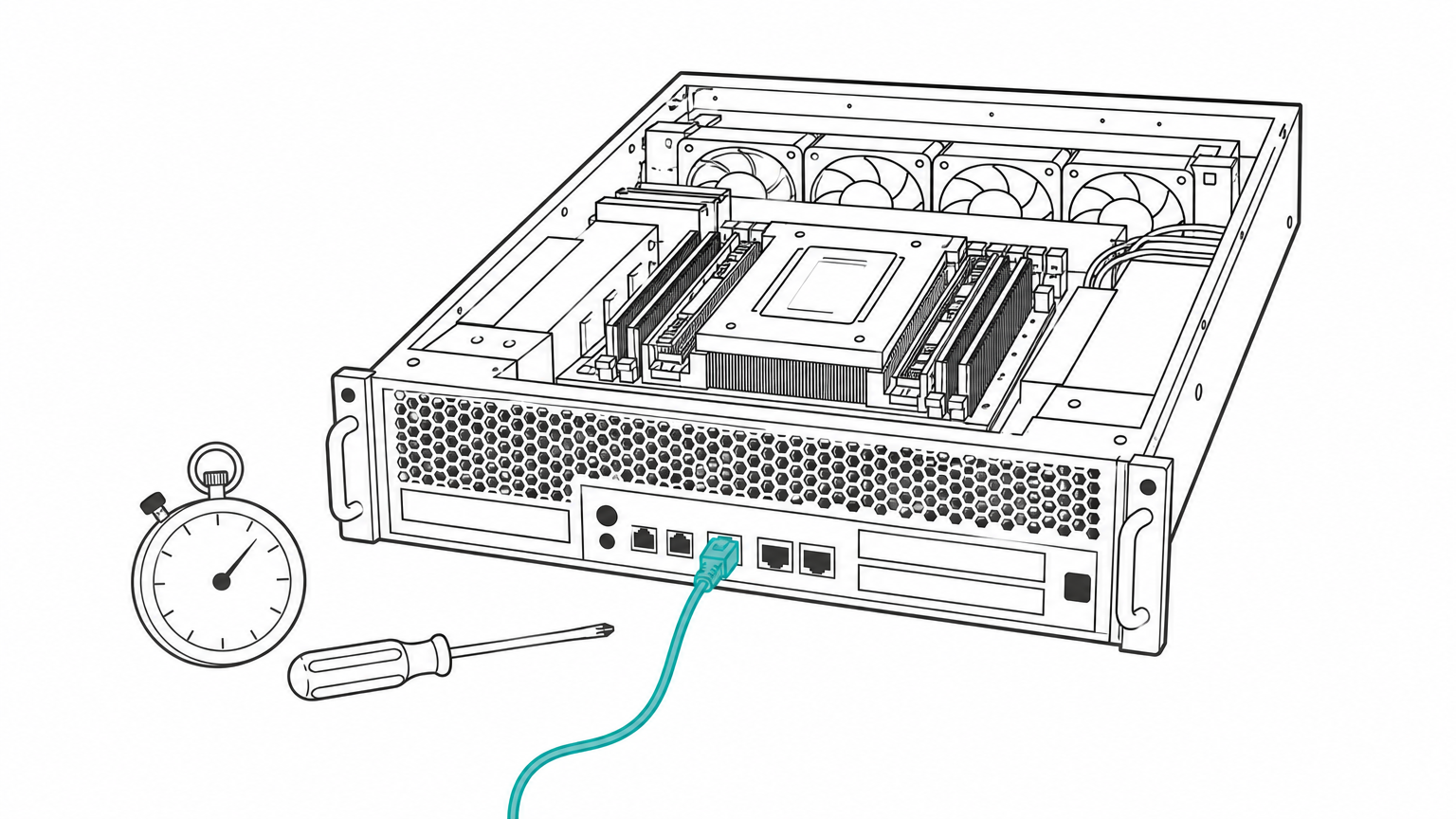
The dedicated GPU offer covers H200, H100 and RTX PRO 6000 Blackwell hardware. Each server is single tenant, with SSH and IPMI access, full control of the OS and runtime, and a stated deploy time of about 60 seconds. The fleet exceeds 500 GPUs in a Tier III facility. Observed uptime is around 99.95%, which Geodd tracks continuously but does not guarantee as an SLA.
Be clear about what you are buying. There is no orchestration, runtime or execution layer included, so you install and run your own stack. The wider GPU rental catalog also lists L40S, A100 and the AMD MI300X, which is reservation only with a four-week lead time.
A Geodd dedicated server is raw bare metal by the hour: fast to start, with the software stack left to you.
Pricing and best fit
Hourly rates scale linearly with GPU count:
| GPU | Memory per GPU | Published rate |
|---|---|---|
| L40S | 48GB GDDR6 | $1.00/hr (1x), $8.00/hr (8x) |
| A100 SXM | 80GB HBM2e | $1.49/hr (1x), $11.92/hr (8x) |
| RTX PRO 6000 Blackwell | 96GB GDDR7 | From $2.14/hr (1x), $17.12/hr (8x) |
| H100 SXM5 | 80GB HBM3 | $3.00/hr (1x), $6.00/hr (2x) |
| H200 NVL | 141GB HBM3e | From $3.50/hr (1x), $28.00/hr (8x) |
| MI300X | 192GB HBM3 | $2.50/GPU/hr, reservation only |
Non-enterprise accounts need active auto top-up and a confirmed card to launch a GPU. Published pricing also does not guarantee immediate capacity in every configuration. Enterprise teams can reserve dedicated nodes for 128 to 500 GPU clusters, with deployment within 7 weeks. This fits developers who run training or inference in sprints and want to pay only for the hours used.
2. Hetzner
Hetzner is the pick for steady, always-on workloads in Europe, with fixed monthly prices and a clear four-model GEX line.
What you can rent
All four GEX servers use NVIDIA RTX PRO Blackwell cards, support CUDA, and run in German and Finnish data centers certified to ISO/IEC 27001. The GEX430 is the only multi-GPU model. The others carry one GPU each.
- GEX45: RTX PRO 4000 Blackwell SFF, 24GB GDDR7, Core i5-13500, 64GB DDR4. Aimed at inference.
- GEX63: RTX PRO 6000 Blackwell Max-Q, 96GB GDDR7, Core Ultra 7 265, 128GB DDR5. Aimed at training.
- GEX131: the same 96GB GPU with a Xeon Gold 5412U and from 256GB ECC RAM, expandable to 768GB.
- GEX430: four RTX PRO 6000 Max-Q cards, 384GB of VRAM in total, 128GB DDR5.
Hetzner gives you the most VRAM per euro here, but only on monthly terms and mostly from one Finnish site.
Pricing and best fit
Monthly prices are €214 (GEX45), €999 (GEX63), from €1,499 (GEX131) and €3,599 (GEX430), excluding VAT. A one-time setup fee applies: €209 on the GEX45, and a fee equal to the first month on the larger models. Hourly billing exists too, for example €1.6009 per hour on the GEX63, but it costs more than the monthly price over a full month.
Traffic is unlimited at 1 Gbit/s, unless you add the 10G uplink, which bills outgoing traffic above 20TB at €1.19 per TB. The GEX45, GEX63 and GEX430 sit only in Helsinki, while the GEX131 also runs in Falkenstein. Choose Hetzner when you run 24/7 inference or training and need data to stay in the EU.
3. Leaseweb
Leaseweb offers the broadest range of NVIDIA and AMD cards on configurable servers. It is the best fit when you need an H100 or H200 on a monthly contract.
What you can rent
The lineup includes the RTX PRO 6000 Blackwell Server Edition (96GB GDDR7), H100 NVL (94GB HBM3), H200 NVL (141GB HBM3e), L40S, L4, Tesla T4, A30, A100, A40 and the AMD Instinct MI210. Servers now ship with AI frameworks such as PyTorch, TensorFlow, Scikit-learn and XGBoost, plus Hugging Face and NVIDIA NGC drivers, so you skip part of the setup.
Delivery takes 5 to 15 days on the featured configurations. The popular cards are in stock, while specific models can have longer lead times. A first order with a Leaseweb sales entity may take longer because of customer verification (KYC).
Leaseweb's strength is choice: you can pick a GPU from entry-level L4 to H200 and rent it on a flexible monthly contract.
Pricing and best fit
Featured servers each carry 128GB RAM, 2x 960GB SSD and 30TB of traffic:
| Configuration | GPU | Monthly price |
|---|---|---|
| HP DL385 G11, dual EPYC 9334 | 2x H200 | CA$5,456.67 |
| HP DL385 G11, dual EPYC 9334 | H100 | CA$2,593.66 |
| Dell R7525, dual EPYC 7413 | L40S | CA$773.50 |
| Dell R750, dual Xeon 5318Y | L4 | €367.09 (promotion, from €431.87) |
Leaseweb prices by sales entity and currency, so check the figure for your region. These servers suit teams that want a dual-socket host with an H100 or H200 and a short commitment, rather than an hourly model.
4. Atlantic.Net
Atlantic.Net is the right choice when compliance and US-based support matter more than the lowest price.
What you can rent
Founded in 1994, Atlantic.Net offers dedicated and cloud GPU hosting. The range includes the NVIDIA A2 (16GB), L40S and H100 NVL. The A2 is a low-cost option for smaller inference projects, while the L40S covers AI and graphics, and the H100 NVL covers heavier training and inference.
You can choose a dedicated GPU server for full isolation, or a cloud "GPU as a Service" option that lowers upfront spend. Data centers are in the US, Canada, the UK and Singapore.
If your workload touches patient data, Atlantic.Net's managed HIPAA GPU hosting is the main reason to pick it.
Pricing and best fit
Check the current rates on the provider's pricing page before you plan a budget. The compliance features are the stronger selling point. Atlantic.Net holds SSAE 18 SOC 2 and SOC 3 certifications and offers managed HIPAA GPU hosting with a BAA. It also advertises a 100% uptime SLA and 24/7 support based in the United States. It suits healthcare, biotech and research teams that process sensitive data and want a provider with a long operating history.
5. HorizonIQ
HorizonIQ is a solid option when you want a focused list of data-center NVIDIA cards for AI, HPC and analytics.
What you can rent
HorizonIQ offers GPU dedicated servers built on NVIDIA H200, H100 and L40S GPUs. That covers the useful span: the L40S for inference and mixed AI and visual work, the H100 for training and large-model serving, and the H200 for models that need 141GB of memory per GPU.
The page positions these servers for HPC, AI and analytics workloads rather than gaming or desktop use.
HorizonIQ narrows the choice to three cards, so the decision comes down to memory size and budget.
Pricing and best fit
Confirm current rates and contract terms directly with HorizonIQ, then compare them with the per-GPU hourly and monthly figures above. It fits teams that already know which of the three cards their workload needs. It also suits buyers who want one more quote to test against Geodd, Hetzner or Leaseweb before committing.
How to compare prices and pick the right GPU
Compare providers on cost per month at your real usage, then filter by VRAM. Price per hour alone misleads you, because monthly plans and setup fees change the math.
What these servers cost side by side
| Provider | Billing | NVIDIA options listed | Lowest published entry |
|---|---|---|---|
| Geodd | Hourly | RTX PRO 6000, H100, H200, L40S, A100 | L40S $1.00/hr |
| Hetzner | Monthly or hourly, plus setup fee | RTX PRO 4000 SFF, RTX PRO 6000 Max-Q | €214/mo (GEX45) |
| Leaseweb | Monthly contract | RTX PRO 6000, H100, H200, L40S, L4, T4, A30, A100 | €367.09/mo (L4, promotion) |
| Atlantic.Net | Dedicated or cloud | A2, L40S, H100 NVL | See provider pricing |
| HorizonIQ | See provider | H200, H100, L40S | See provider pricing |
Now a worked example. A month has about 730 hours. Running a Geodd RTX PRO 6000 non-stop costs 730 × $2.14 = $1,562.20. An H100 costs 730 × $3.00 = $2,190, and an L40S costs $730. Hetzner's GEX63 with the same 96GB class of memory costs €999 per month plus a €999 setup fee, which is cheaper for 24/7 use after the first month. Now run the RTX PRO 6000 only 8 hours a day on 22 weekdays. That is 176 hours, or $376.64, and the hourly model wins clearly.
At budgets near $80 per month, expect older cards such as the GTX 1080 or RTX 2060 class, not data-center GPUs.
Match VRAM to your model first
Model weights need about 2 bytes per parameter at 16-bit precision, and about half a byte at 4-bit. A 70B model therefore needs roughly 140GB at 16-bit and about 35GB at 4-bit, before cache and overhead. That means one 96GB card can serve a 4-bit 70B model, while 16-bit needs two H200 cards (282GB in total). Pick the GPU by memory, then by speed.
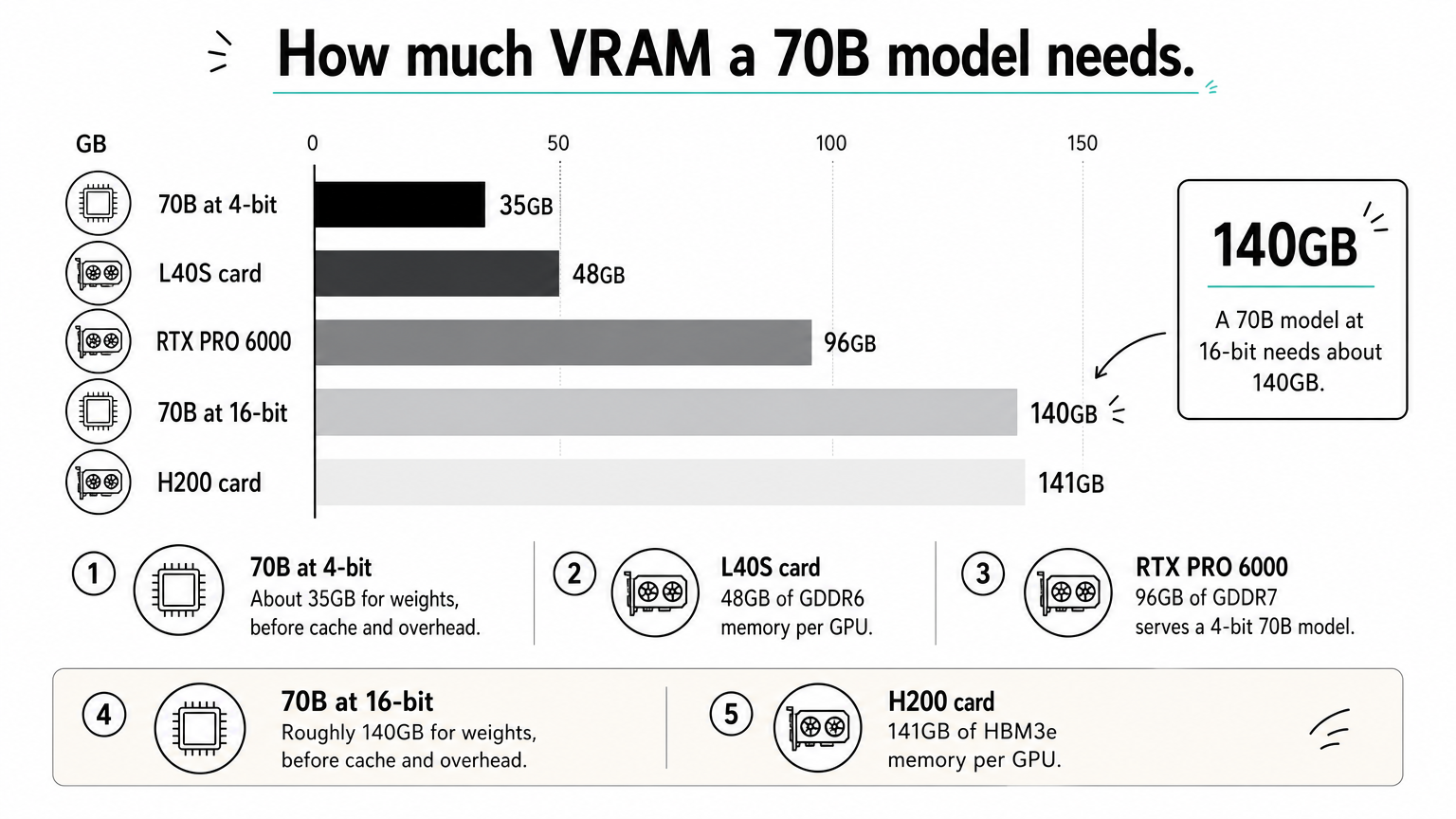
- Inference on small or quantized models: L40S (48GB) or RTX PRO 6000 (96GB).
- Fine-tuning and mid-size training: H100 (80GB) or RTX PRO 6000.
- Large models and long context: H200 (141GB) in multi-GPU configurations.
Size VRAM to your model before you compare hourly rates, because a card that does not fit costs more than any discount saves.
Do you need a GPU server at all?
You need one when your work is parallel: training, fine-tuning, LLM inference, rendering or video transcoding. A web app or database gains nothing from a GPU. If you only call open models like GPT-OSS-120B through an API, skip the server and use a hosted model API, which bills per token.
Some providers also sell GPU VPS plans, and hyperscalers like AWS, Google Cloud and Azure offer GPU instances. Those suit elastic scaling, but watch egress fees and complex pricing. A dedicated server gives you the whole GPU and predictable performance.
Picking your GPU server
Choose by workload shape. Rent hourly if usage comes in bursts, take a monthly plan if the server runs around the clock, and choose a compliance-focused host if regulated data is involved. Whatever you pick, size VRAM to your model first and cost the full month, including setup fees.
If you want bare metal H100, H200 or RTX PRO 6000 capacity billed by the hour, you can rent a dedicated GPU server on Geodd. If you would rather skip server management and call models over an API, Geodd's inference service covers that too.