Preparation - SSH Keys
Before creating a GPU instance, you must add an SSH key to your account.
1. Generate an SSH key
Run this command on your local machine:
ssh-keygen -t ed25519 -C "[email protected]"2. Copy the public key
cat ~/.ssh/id_ed25519.pub3. Add the key in the Geodd Console
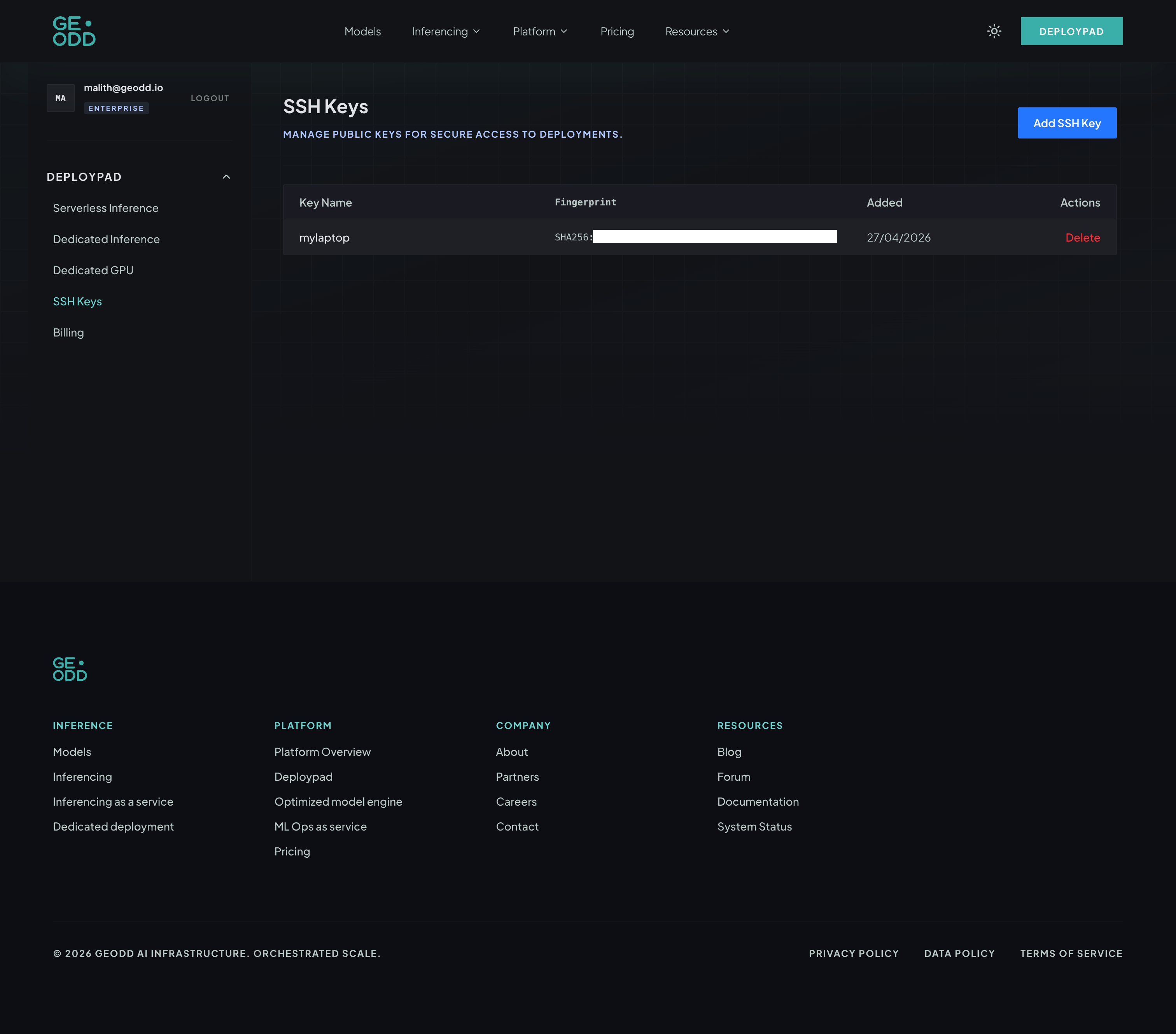
Go to SSH Keys and click Add SSH Key.
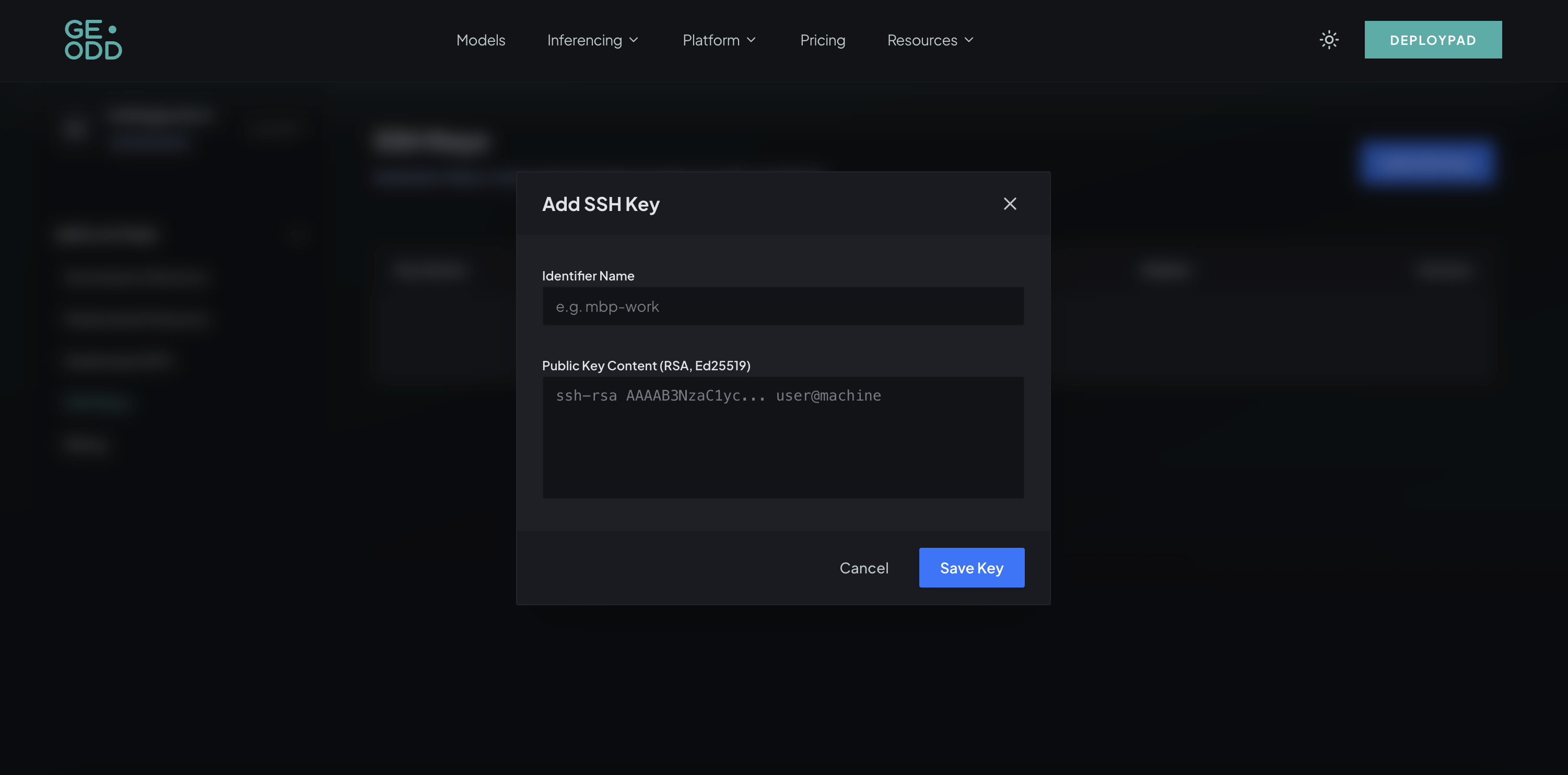
Enter an identifier name and paste your public key content, then click Save Key.
Previous
Data Privacy